How to Segment Contacts in Systeme.io with Tags in 2026
Use a small tag system tied to real marketing decisions, apply tags manually or automatically, target email with inclusions and exclusions and audit any tag-triggered automation before making bulk changes.
Start with a small tag system tied to decisions you will actually make
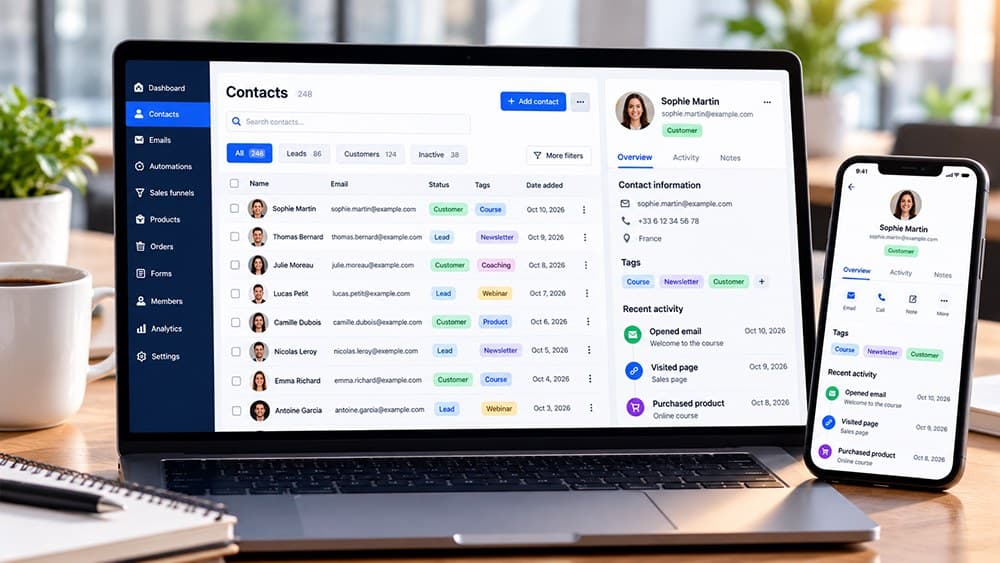
Create tags for states that change what a contact should receive, such as prospect, customer, student, acquisition source or a meaningful interest. A tag is useful when it changes targeting, reporting or automation rather than simply describing trivia.
Avoid creating many near-duplicates such as several versions of the same customer tag. A smaller controlled vocabulary is easier to maintain and reduces mistakes when future newsletters or workflows rely on inclusion and exclusion rules.
Create tags with names that remain understandable months after setup
Systeme.io lets you create tags from the CRM and in supported automation contexts. Use names that explain the business meaning without requiring someone to remember which funnel or campaign originally created them.
If several people manage the account, agree on a naming convention before the database grows. Consistent prefixes or status terms can make it much easier to distinguish lifecycle, product and acquisition tags when building filters later.
Apply tags manually for controlled updates and automatically for repeatable behavior
Tags can be added manually to selected contacts in the CRM or automatically when a supported trigger occurs. Manual assignment is useful for cleanup or exceptional cases, while automation is better for behavior that should happen consistently at scale.
Test an automated tag on a demonstration contact before applying it broadly. Inspect the contact record and any connected rules so you know exactly which state was created and whether other automation started as a side effect.
Use tag inclusions and exclusions to send more relevant newsletters and campaigns
Segmented email becomes useful when the tag changes who receives the message. For example, customers of a product can be excluded from a campaign that continues selling that same product while prospects remain eligible for the offer.
Keep exclusions as deliberate as inclusions. A contact may belong to several valid segments at once, so review the final audience count and filters before sending a large newsletter instead of assuming one tag uniquely describes every person.
Check tag-triggered automation before making a bulk change in the CRM
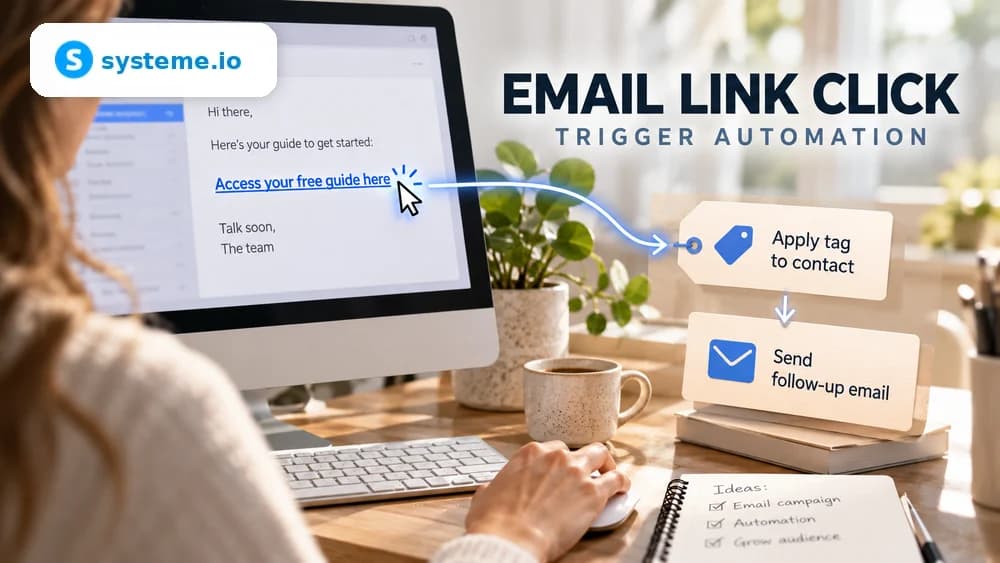
A tag can itself be an automation trigger that subscribes a contact to a campaign, sends an email or starts another supported action. Adding that tag manually to hundreds of contacts can therefore execute automation immediately.
Before any bulk assignment or cleanup, search the automation rules and workflows that reference the tag. If necessary, disable, redesign or test the dependent logic first so a database-maintenance task does not become an accidental mass campaign.
Read tag statistics as history and use contact filters for the active segment
Systeme.io's tag interface can show historical counts such as contacts who received a tag and removals over time. Those historical figures do not always equal the number of contacts who currently carry the tag.
When you need the active audience for targeting, filter the contact database by the tag and review the resulting records. Use that live segment rather than a historical counter when deciding the size of a newsletter or automation audience.
Check these four signals.
✓Every tag has a clear marketing purpose
✓Tag names follow one understandable convention
✓Bulk tag changes are checked against existing automations
✓Active segments are verified from contact filters before sends
Need the bigger picture before choosing a plan?
Open the current offer and check Systeme.io pricing, limits and features before deciding on a subscription.
Official sources for this guide
Software pricing and features can change. Review the official documentation below before choosing a product or plan.