How to Trigger Systeme.io Automation After an Email Link Click
Use a simple automation rule when one exact email link must trigger an action, use a workflow when the later sequence matters more, and account for the documented click-trigger cooldown before relying on repeated events.
Treat an email click as an intent signal rather than just another engagement metric
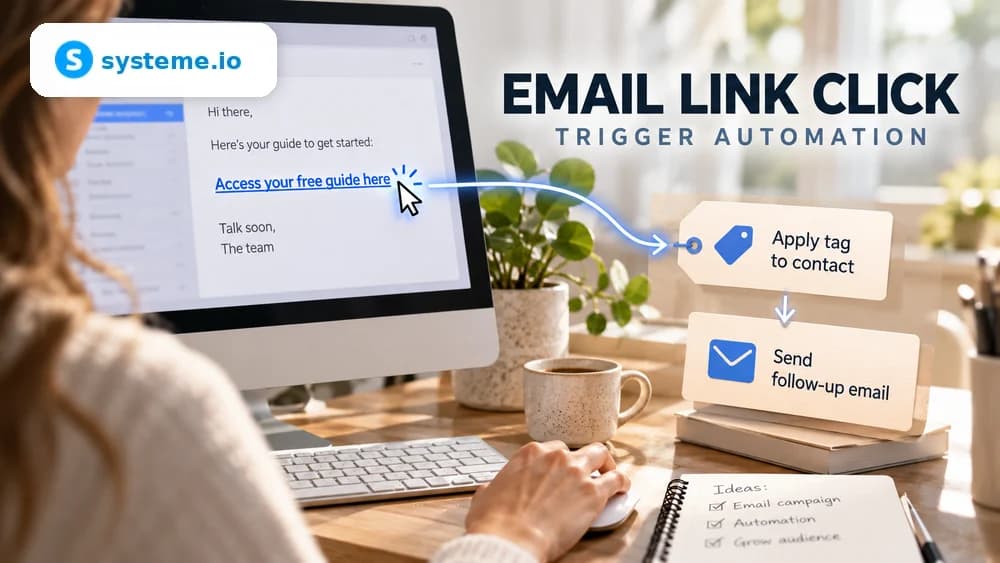
A contact who clicks toward a product, resource or topic has expressed a more specific interest than someone whose email client merely reports an open. Systeme.io can use that click event to start an automation action.
Decide what the signal means before creating the rule. A click can add an interest tag, subscribe the contact to a more relevant campaign or start another supported action, but it should not trigger unrelated follow-up simply because the event is available.
Use a simple automation rule when you need to target one specific link
In Automations and Rules, choose the Email link clicked trigger, select the relevant email and then choose the link that should start the action. Add the intended action only after verifying that the selected destination is the one you want to track.
This precision is useful when one email contains several calls to action that represent different interests. Each important link can feed a distinct tag or follow-up path instead of treating every click in the message as the same intent.
Use a workflow for a richer sequence but account for its current link-selection limitation
Systeme.io also supports email-click logic in workflows, where the event can participate in a longer scenario with actions, delays and decisions. That is useful when one click should influence several later steps rather than a single immediate action.
The current Systeme.io documentation notes an important difference: workflows do not provide the same specific-link selection as a simple automation rule. Choose the simpler rule when identifying one exact link is essential to the segmentation logic.
Add a tag when the click should remain useful beyond the immediate automation
A practical action is to apply a tag that records the topic or offer the contact clicked. That state can later be used to include or exclude the person from newsletters, campaigns or other automation without depending on the original email forever.
Keep tag names stable and specific enough to understand months later. Before adding a tag automatically, check whether another automation already listens for that tag so the click does not unexpectedly launch several overlapping sequences.
Account for the current one-minute cooldown used by the email-link-click trigger
Systeme.io's automation-rule documentation currently describes a one-minute cooldown after the first registered click for this trigger. The cooldown helps prevent duplicate execution caused by repeated clicks or automated security checks from email systems.
Do not design a process that expects several immediate clicks to fire the same rule repeatedly. If multiple choices in one message need to produce different outcomes, structure the rules around distinct links and test each path separately with a fresh contact.
Send a real test email and inspect the resulting contact state before launch
Send the actual message to a test address, click the intended link and verify the tag, campaign or other action in the contact record. Then click again within a short period and confirm that the cooldown does not create an unexpected duplicate process.
Repeat the test for any other tracked link and inspect downstream workflow activity. End-to-end testing is more reliable than checking only the rule editor because it includes email delivery, redirect behavior and the contact state created by the real click.
Check these four signals.
✓The intended email and specific link are selected where supported
✓Workflow link-selection limits are understood
✓The click applies only the intended tag or follow-up action
✓The one-minute trigger cooldown is included in testing
Need the bigger picture before choosing a plan?
Open the current offer and check Systeme.io pricing, limits and features before deciding on a subscription.
Official sources for this guide
Software pricing and features can change. Review the official documentation below before choosing a product or plan.