MailerLite vs Mailchimp (2026): Which Email Marketing Platform Should You Choose?
MailerLite Free offers 250 active subscribers, 2,500 monthly sends and three automations. Mailchimp Free offers 250 contacts and 500 monthly sends, while Marketing Automation Flows require a paid tier.
The differences that actually change the decision.
MailerLite vs Mailchimp: the short answer
Choose MailerLite when your priority is a small, permission-based email list, several simple automated sequences and enough free sending capacity to test a real newsletter. Choose Mailchimp when you want its broader marketing ecosystem, established integrations and a paid plan suited to your team's segmentation, reporting and commerce workflow. Neither is automatically the better tool for every sender.
The 2026 free plans are particularly easy to confuse: both currently advertise room for up to 250 contacts, but MailerLite allows 2,500 sends per month while Mailchimp allows only 500, with a 250-send daily limit. MailerLite Free also includes up to three active automations; Mailchimp's documented Marketing Automation Flows require Essentials or a higher tier. These are published provider limits, not Claim26 benchmark results.
Compare the limits that affect your first 250 contacts
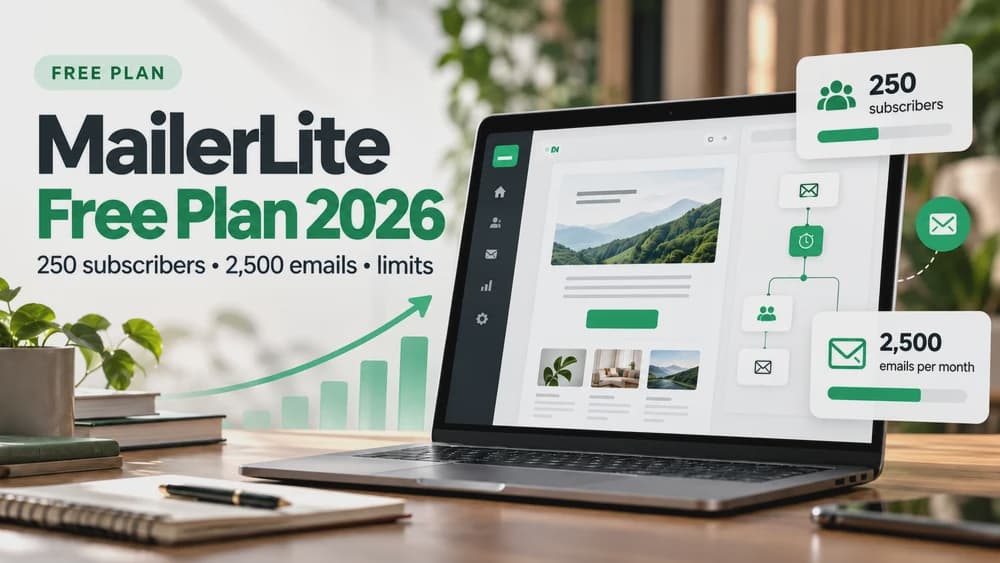
MailerLite's June 16, 2026 update changed its free offer. It now lists 250 active subscribers, 2,500 monthly emails, three active automations, three forms, one landing page, one website and one digital product or booking. The offer also provides two user seats. Exceeding its allowance can pause sending and some subscriber actions until the list or active features are brought under the limit, a new sending period begins, or the account is upgraded.
Mailchimp Free lists 250 contacts, 500 monthly email sends, one audience and one owner seat, with a daily cap of 250 sends. Forms, basic templates and landing-page options remain available, but the number of contacts is only part of the comparison. A plan's sends, automation access, audience structure and support can matter far more than a free-plan headline.
A 200-person newsletter shows why send volume matters
Consider a hypothetical mailing list of 200 opted-in readers receiving one newsletter every week. Four sends to that list use approximately 800 email deliveries in a month, before welcome messages or reminders. That fits MailerLite Free's stated 2,500-send allowance but exceeds Mailchimp Free's 500-send monthly allowance. It is a simple capacity calculation, not a claim about inbox placement or engagement.
A different project might email 100 people twice a month: 200 deliveries would fit both allowances. Estimate the worst realistic month rather than a quiet week. Multiply recipients by campaigns and add every automation message, campaign test or other delivery that the provider counts. If you plan daily broadcasting, compare daily and monthly restrictions separately.
Billing contacts: active subscribers are not the same thing
MailerLite counts unique subscribers with Active status toward its plan tier; unsubscribed and bounced contacts are excluded from that active count. Its billing guide also describes cumulative counting within a cycle, so someone who was active earlier in the period may remain counted until the cycle resets. Inspect your account's live Plan and billing page before relying on a quick list cleanup to reduce a current bill.
Mailchimp's documented marketing contact count includes subscribed, unsubscribed and non-subscribed contacts. Archived, cleaned and deleted contacts do not count toward the normal plan total. This can change the practical price of a store-connected mailing list that contains many customers who never opted into marketing. Never send marketing messages to unsubscribed or non-subscribed contacts simply because they appear in an export.
Email automations: a meaningful difference on Free
MailerLite Free includes up to three active automation workflows. A short welcome sequence, a separate lead-magnet follow-up and another basic onboarding flow are realistic examples to check against your available triggers and message allowance. Three automations does not mean unlimited sends or access to every paid feature. Free campaigns and automations still share the monthly email ceiling.
Mailchimp's current help page states that Marketing Automation Flows start on Essentials. Essentials supports a single trigger and up to three steps per flow; Standard and Premium allow up to three triggers, up to 200 steps and split paths. Older classic automations and plan-specific exceptions can make an existing account look different, so verify entitlements rather than assuming a screenshot reflects all 2026 plans. For a business that relies on complex branching, compare paid Mailchimp Standard with the appropriate MailerLite paid plan, not simply Free versus Free.
Forms and landing pages: choose the workflow you will publish
MailerLite Free specifies three active forms and one active landing page, along with one website of up to five pages. It can therefore suit a creator building a simple signup form, thank-you journey and one landing page, provided the limits and branding requirements fit. The provider also allows access to certain more advanced design options than its older Free offer, including custom templates and promotional pop-ups.
Mailchimp supports signup forms and landing pages, and its wider marketing platform may be attractive when you already use its customer and commerce integrations. But a page-builder feature is not a substitute for checking the actual plan and published page. Compare the form fields you need, consent text, mobile layout, custom domain requirements, analytics tags and the number of landing pages your project will maintain.
Email editors, templates and reporting
Both providers offer visual email-building tools and templates. The useful comparison is not the number of templates but whether you can produce the type of email your readers will actually receive: a short editorial newsletter, a product launch, a receipt-linked follow-up or a multi-step educational series. Build one representative draft, preview it on a phone, and check that typography and buttons remain clear.
Mailchimp's official plan documentation lists basic reporting on Free and additional capabilities on higher tiers, including A/B tests from Essentials and multivariate tests on selected advanced tiers. MailerLite offers its own campaign and automation reporting, but access and detail vary by plan. Claim26 has not conducted side-by-side deliverability, editor-speed or reporting-quality measurements; no independent winner is asserted for those categories.
Paid subscriptions: avoid comparing different audience sizes
MailerLite currently organizes its paid offers as Comfort, Power and Enterprise, with subscriber-count tiers and different sending and active-feature limits. Comfort includes 50 active automations and a sending limit tied to its subscriber tier, while Power advertises unlimited active features subject to applicable use policies. These details should be checked on the live pricing page as they can change.
Mailchimp uses Essentials, Standard and Premium plans, with prices affected by contacts, sending and potential overages. Essentials and Standard are not interchangeable: automation depth, testing and other features differ. Compare the same number of billable contacts, the same monthly delivery estimate, the same currency and billing term, plus any taxes. Promotional discounts or annual equivalents should not be mistaken for a permanent month-to-month price.
Integrations and e-commerce: identify your essential connection
MailerLite provides integrations for platforms including Shopify, WooCommerce, WordPress and Stripe, and it offers digital-product and paid-newsletter tools on applicable plans. For a small shop, the critical questions are whether opted-in customer records sync correctly, whether product or checkout events are available to your automation, and whether the trigger is included in your subscription tier.
Mailchimp advertises a broad integration catalog and commerce-oriented marketing capabilities. That can make a difference for a business already using Mailchimp-connected customer data, reporting and campaigns, but a large app catalog does not prove that a particular event or automation is free. Compare the exact connector, data fields, historical data import and per-plan access for your store or CRM.
Subscriber organization: groups, tags and segmentation
In MailerLite, Groups help assign subscriber labels, while Segments apply conditions to select members dynamically. For instance, a group could identify a reader's chosen topic, while a segment could combine that preference with an activity field. In Mailchimp, audiences, tags and segments have their own structure and access rules. The names are similar enough to cause confusion during migration but are not fully interchangeable.
Write down the actual audience rules you use before transferring anything: consent status, customer category, purchase trigger, interest area and exclusion list. A group label may migrate easily while behavior-based, e-commerce or advanced segments may not. An apparently successful import is not proof that the same people will receive the same messages in your new system.
How to migrate from Mailchimp to MailerLite safely
MailerLite's official migration guide now documents a direct Import from Mailchimp workflow, using a connection to Mailchimp or an API key. It can bring subscriber lists across, match fields and organize Mailchimp tags into MailerLite Groups. Simple field-based segments may be recreated, but complex behavioral and e-commerce segments are not automatically transferred. Treat this as a controlled rebuild, not a one-click replica of an entire marketing account.
First export a backup of your Mailchimp audiences and preserve unsubscribed, cleaned and non-subscribed records separately. In MailerLite, choose Subscribers, Add subscribers, then Import from Mailchimp; authorize the connection and map the fields. Check the import summary, groups and consent statuses. Rebuild forms, templates and automations, authenticate your sending domain and trigger a test sequence before shutting down your old process. Keep an exclusion list so subscribers who opted out never receive a new marketing message by accident.
Deliverability, privacy and brand permissions
No responsible comparison can promise that MailerLite or Mailchimp sends every campaign to the inbox. Authentication, domain reputation, consent quality, list hygiene, content and recipients' mailbox providers affect the outcome. Before a migration, verify SPF/DKIM guidance for the sending domain, keep complaint and unsubscribe suppression in force and send a small test sequence to addresses you control.
Both platforms process subscriber information that may be subject to privacy and marketing rules. Do not treat a technical import option as legal permission to re-contact everyone in an old database. Document the original signup purpose, provide a working unsubscribe mechanism and review your privacy notice, data retention and processor arrangements. This is general editorial guidance rather than jurisdiction-specific legal advice.
Three practical scenarios: who should use which?
Scenario A — a consultant with 150 consenting contacts, one lead-magnet form and a short welcome flow: MailerLite Free is a strong starting candidate because its 2,500 monthly sends and three active automations can accommodate modest experiments, subject to the other plan caps. Mailchimp Free may be workable for occasional standalone campaigns, but not if you need the provider's paid Marketing Automation Flows.
Scenario B — an online store already connected to Mailchimp, with multiple audience conditions, product events and a paid marketing plan: do not migrate on the basis of Free allowances. Map its integrations, ecommerce triggers, existing automations and historical reports first. Mailchimp may remain the lower-risk option if switching imposes significant rebuilding work or the required MailerLite functions are on a higher paid tier.
Scenario C — a growing newsletter with 1,500 subscribers: both Free tiers are too small under the current published 250-contact limits. Enter the same billable list size and planned sending frequency in each pricing calculator. Use MailerLite's active-subscriber definition and Mailchimp's broader contact-count rules to estimate actual bills rather than comparing their cheapest advertised entry prices.
FAQs and the final decision
Is MailerLite Free now limited to 250 subscribers? Yes. MailerLite's published June 2026 update reduced its Free active-subscriber limit to 250 while opening access to some additional creation features. The current free sending allowance is 2,500 messages per month. Is Mailchimp Free also limited to 250? Its official 2026 pricing guide states up to 250 contacts and 500 monthly sends, including a 250-send daily cap.
Can you move from Mailchimp without losing subscriber groups? MailerLite's guided importer can recreate groups from Mailchimp lists or tags, but complex segmentation logic, forms, email designs and automations require review and often manual rebuilding. Is the more expensive platform guaranteed better deliverability? No. Test your own permitted list, domain and workflow instead of relying on unsourced percentage claims.
Final verdict: prioritize MailerLite when a small list, more free sends and a few visual automations fit your real needs. Prioritize Mailchimp when its connected marketing ecosystem and paid automation/reporting capabilities solve problems that would be expensive to rebuild. If you're starting a new mailing system, test one signup, one actual email and one unsubscribe before upgrading. Claim26 may earn a commission on eligible MailerLite signups through its clearly labeled affiliate links, at no extra cost to the reader; Mailchimp's documentation links are non-affiliate.
Check these four signals.
✓Both Free offers currently list 250 contacts under different counting rules
✓MailerLite Free: 2,500 monthly emails and 3 active automations
✓Mailchimp Free: 500 monthly emails and a 250-send daily cap
✓Complex flows, billing counts and migration effort can outweigh a starter price
The safest way to choose is to build a small real-world workflow.
Test the part of the customer journey that matters most before moving your entire system.
Official sources for this guide
Software pricing and features can change. Review the official documentation below before choosing a product or plan.