ElevenLabs Voice Design: Create an AI Voice from a Prompt
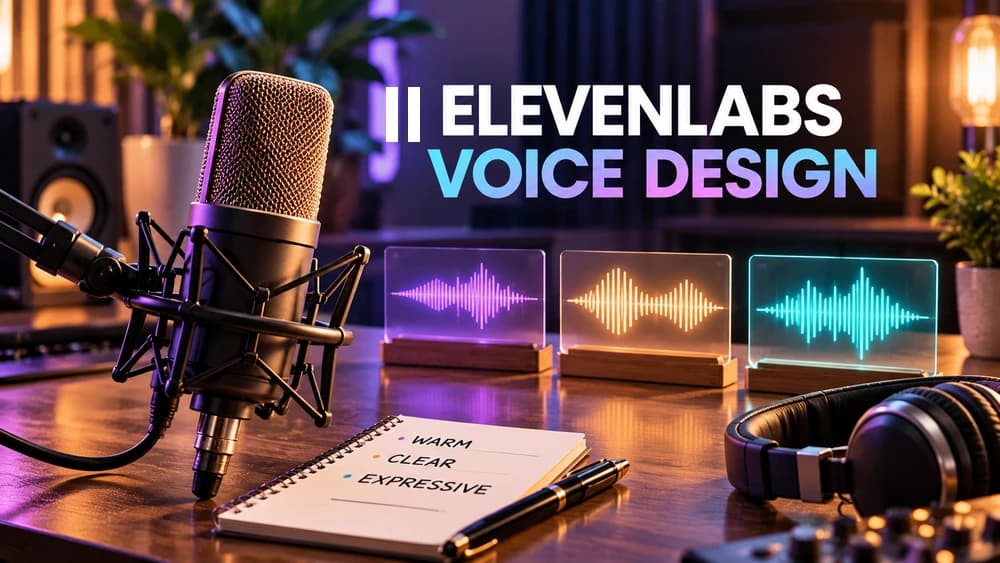
ElevenLabs Voice Design creates voice candidates from a text description rather than a recorded speaker. It returns three previews per generation; compare the results, model behavior, usage credits and license before saving.
Start with the decision: Voice Design, a library voice or cloning?
ElevenLabs Voice Design turns a written description into candidate synthetic voices. Instead of uploading a recording to reproduce a real speaker, you describe the sound you want: perceived age, accent, texture, pacing, emotion and the work the voice will do. That makes it useful for a fictional narrator, original character or virtual guide when browsing the Voice Library has not revealed a suitable match. It does not guarantee that a precisely imagined voice will exist on the first attempt.
Voice Design, professional voice cloning and text-to-speech solve different problems. Voice Design proposes new identities; voice cloning is intended to reproduce an approved source voice; text-to-speech reads your script with a voice you have chosen. According to ElevenLabs, Voice Design remains experimental and Professional Voice Clones can offer greater consistency when a suitable voice is available. That tradeoff matters for long-running characters more than novelty alone. Official guide: https://elevenlabs.io/docs/eleven-creative/voices/voice-design.
Write a voice brief before opening the generator
Before writing a prompt, define the audience and the listening environment. A course played on a phone calls for intelligibility and steady pacing; an atmospheric game character might need memorable texture and restrained imperfections. Write down five dimensions: language, regional accent, perceived age, vocal texture and energy. Add a sixth only if it changes the result, such as the style of delivery or recording quality.
Consider an English-language training platform. Its brief could be: 'Adult English-speaking narrator with a gentle North American accent, clear middle register, measured pace and warm instructional confidence. Friendly but not salesy, with precise consonants and natural short pauses.' That is a proposed creative specification, not an audio result Claim26 has generated. Avoid requesting the voice of a named actor or a real person as a shortcut. The provider's prompt advice explains why specific audible descriptors are more useful than vague praise.
Generate and compare three previews efficiently
In the ElevenLabs app, the documented route is Voices, My Voices, Add a new voice, then Voice Design. Enter the voice description and check the Text to preview field. On generating, the tool normally returns three candidate voice samples. Listen to all three, using the same script as your reference, before deciding which one is best. The generation step consumes credits tied to preview text length, even if you decide not to save a candidate.
A useful selection test is to score each candidate against your brief rather than asking whether it sounds impressive. Does it pronounce ordinary words clearly? Does its pace work for a full minute, not just a tagline? Can you understand it over quiet background music? Save a candidate only after it meets the project needs; saving a selected voice also uses a voice slot. The official guide explains the three candidates and save flow: https://elevenlabs.io/docs/eleven-creative/voices/voice-design.
Three English-language prompt examples for different markets
For a podcast introduction, try: 'Adult British English voice, bright but soft mid-range timbre, curious and conversational, gentle measured rhythm, restrained enthusiasm, natural studio sound.' For product onboarding: 'English-speaking woman in her thirties, neutral North American accent, crisp articulate delivery, relaxed supportive warmth, unhurried pace, no exaggerated advertising energy.' The differences are intentional: a hook and a step-by-step product lesson demand different attention patterns.
For a story character, test: 'Older English-speaking maritime storyteller, lightly weathered baritone, slow thoughtful cadence, subtle Atlantic-coast accent, gentle humor and believable breaths; realistic human character, not an impression of any identifiable performer.' These prompts are examples to adapt, not previously generated customer samples. If the voice sounds too theatrical, remove superlatives and specify the delivery behavior you actually want. ElevenLabs lists accent, age, tone and speaking style among controllable descriptions: https://elevenlabs.io/docs/help-center/product/voices/voice-design/what-kind-of-voices-can-i-create-using-voice-design.
Choose preview text that exposes weaknesses
A generic line such as 'Welcome to our channel' can make almost any narrator sound plausible. Write a preview paragraph similar to the final project instead. A tutorial should contain an instruction, a number and a product name; a character voice should read both an ordinary sentence and a restrained emotional line. Listen for pacing, consonant definition, accent drift and how the voice handles punctuation. Do not rely on a single dramatic exclamation.
Compare candidates against identical preview text whenever possible. If you change both the description and the script between attempts, you will not know which change caused the difference. The API exposes preview text as part of Voice Design and supports a two-step workflow: generate candidates, then create the selected voice. The web interface may also offer automatically generated preview text; read it rather than treating it as a neutral benchmark. API guide: https://elevenlabs.io/docs/eleven-api/guides/how-to/voices/voice-design.
Use Guidance Scale and Loudness without over-tuning
Guidance Scale determines how closely the generated voice is steered by your prompt. Higher fidelity to the instructions may help when your requirements are clear, but aggressively constraining a complex description can compromise naturalness. If the result is strained, first simplify conflicting language, then compare a lower guidance setting while keeping your preview constant. There is no universal 'best' number suitable for every accent or character.
Loudness adjusts the output level of the preview and saved voice. It is not the same thing as expressiveness or postproduction mixing. Test at comparable playback volume, especially if one candidate seems better only because it is louder. Do not interpret louder audio as evidence of clearer pronunciation. These two controls are described in the provider's product help: https://elevenlabs.io/docs/help-center/product/voices/voice-design/what-kind-of-voices-can-i-create-using-voice-design.
Test the saved voice on the model you actually plan to use
The ElevenLabs help center states that Voice Design voices can work with Eleven v4 and earlier models including Eleven v3, and they can support audio tags. It also notes that a Voice Design voice may be less performative on Eleven v4 than on earlier models. Compatibility is therefore different from identical character delivery. A preview that suits a dramatic game scene in one model might feel too reserved when you switch synthesis engines.
Once a candidate is saved, run a short piece of representative production copy through the model you expect to use. Check pauses, accent stability, technical words and consistency across more than one sentence. For a recurring fictional character, record the prompt, model and an approved sample so future edits do not drift. If consistent production voice quality matters more than creating something novel, compare Voice Design against Voice Library and eligible professional clones. Reference: https://elevenlabs.io/docs/help-center/product/voices/voice-design/what-is-voice-design.
Budget credits, generations and available voice slots
ElevenLabs describes Voice Design billing in terms of preview text characters. One generation produces three voice options, and the documented charge is applied once for the three previews rather than as three separate full charges. That does not mean Voice Design is free of usage costs: available credits depend on your account. If the resulting voices are unsuitable, additional generation requests may consume more credits. Review your actual account usage before repeating tests.
To control experimentation, define your quality criterion in advance and keep two or three purposeful prompt revisions rather than indefinitely changing adjectives. Save only the candidate you intend to use and confirm your account has an available voice slot. This method is an editorial workflow, not a measured cost saving or an affiliate earning. The provider explains the charging mechanism and preview workflow here: https://elevenlabs.io/docs/help-center/product/voices/voice-design/how-much-does-voice-design-cost.
Check commercial-use rights at the time of creation
Voice Design can be used to explore a creative concept without promising that the resulting file is commercially licensed. ElevenLabs states that its free plan does not grant commercial use rights to generated content, while qualifying content created during a paid subscription can have a commercial license subject to the terms, necessary intellectual-property rights and exclusions such as beta services. Uploading a voice to a project later does not retroactively change the license of an earlier free-plan generation.
For monetized channels, client deliverables, game releases and advertising, record when a file was created and what terms governed that account and feature. Check current terms before publishing; do not reuse a disallowed or deceptive voice imitation. For noncommercial content generated on a free account, ElevenLabs also specifies attribution conditions. This discussion is a practical verification checklist, not legal advice or confirmation of a specific user's license. Source: https://elevenlabs.io/docs/help-center/legal/can-i-publish-the-content-i-generate-on-the-platform.
Make the production decision: keep, revise or choose another tool
At the end of the trial, ask whether your voice is intelligible, appropriate for the audience, repeatable on the chosen model and licensed for the intended release. Keep a candidate if it meets the brief. Revise the prompt if a specific characteristic is off. Switch to a suitable library voice if the quality gap persists, or evaluate cloning if you have clear rights to reproduce a source recording. Do not spend further credits merely because more variations can be generated.
For a voiceover project, continue with Claim26's text-to-speech guide; for a voice that needs to reproduce an authorized speaker, use the cloning guide. Ambient audio and effects belong in the Sound Effects workflow instead of Voice Design. The related ElevenLabs reviews and free-plan guide explain the product and account boundaries. Claim26 did not access a real ElevenLabs Voice Design account, compare actual generated audio, or verify conversions or commission from this recommendation.
Check these four signals.
✓Define a use case and audible voice brief
✓Compare three candidates on equivalent script
✓Adjust guidance and verify target model
✓Check credits, slots and commercial rights
Need the bigger picture before choosing a plan?
Open the current offer and check ElevenLabs pricing, limits and features before deciding on a subscription.
Official sources for this guide
Software pricing and features can change. Review the official documentation below before choosing a product or plan.