Elementor Free vs Pro: Which WordPress Plan Do You Need?
Test Elementor Core on a real page before paying, then compare your genuine needs against the current features and website-license limits of the paid editor plans.
Elementor Core and Pro solve different website problems
Elementor Core is the free visual editor plugin for WordPress. It lets site owners assemble pages using a drag-and-drop workflow. Elementor Pro adds paid capabilities but does not replace WordPress or automatically bundle every website service you may need.
Start by defining the outcome: a basic business website, a personal blog, a lead form, a designed archive or a customized shop. This guide draws on current Elementor help pages rather than claiming an independent hands-on product trial.
What you can build with the free WordPress plugin
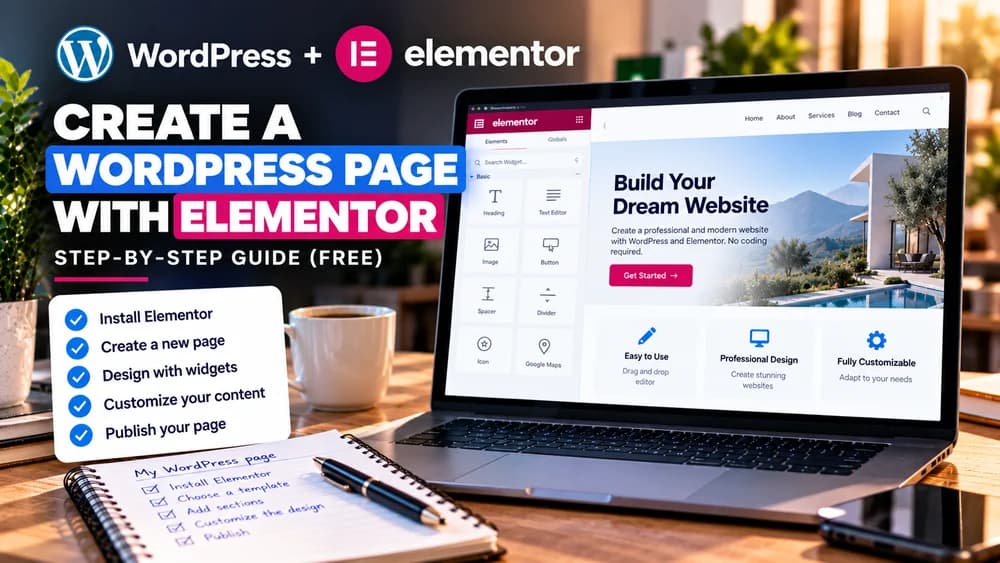
The free plugin can be installed from the WordPress plugin directory and used to create layouts with headings, text, images, buttons and visual layout controls. A useful brochure page with a clear call to action is a sensible first test.
The result still relies on your WordPress theme, content, host and maintenance. Free access to an editor is not the same as free hosting, a free domain or free access to every third-party add-on.
When a paid plan is worth considering
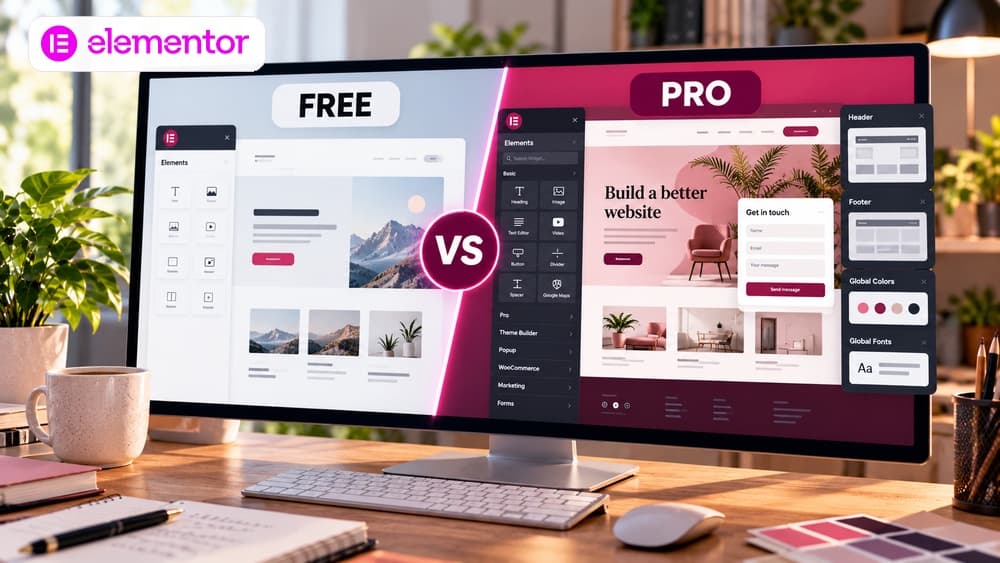
Elementor's paid editor plans can add advanced theme-building capabilities, professional widgets, built-in forms and other design features. But features differ between current plans. Check the live feature matrix for the exact plan you are considering rather than assuming that any Pro subscription unlocks everything.
A paid feature is worthwhile when it solves a practical problem or replaces another tool you would otherwise need. If the website consists of a few informative pages, the free editor may already handle the layout.
Popup Builder is paid—and its availability depends on the plan
Elementor Core does not include Elementor’s built-in Popup Builder. Elementor’s help center, updated August 27, 2026, states that Popup Builder together with display conditions, triggers and advanced rules requires Elementor Pro on Advanced plans and higher. Do not assume that buying any paid plan automatically unlocks the feature: verify the Popup Builder row in the exact plan comparison before checkout.
With a qualifying license, a popup can display on selected pages and use timing, scrolling, clicks or exit intent as a trigger. These targeting controls are different from an email marketing service, a complete lead management workflow or legally required privacy controls. Official reference: https://elementor.com/help/conditions-triggers-and-advanced-rules/.
Build a popup with a qualifying Elementor Pro license
If your active license includes Popup Builder, open WordPress > Elementor > Editor > Templates > Popups and create a template. Keep the message focused: one useful promise, one clear action and a visible close control. On publication, set Conditions (where it appears), Triggers (the visitor action that opens it) and Advanced Rules (additional frequency, device or visit requirements).
Illustrative scenario, not a reported test: on a tutorial page, open a supplementary download popup only after a visitor chooses to click a button. Compare this with an immediate full-screen popup on mobile. Test keyboard closing, focus, phone layout, frequency caps and the signup destination rather than assuming the editor preview proves a good visitor experience. References: https://elementor.com/help/popups/ and https://elementor.com/help/how-do-i-create-my-first-popup/.
A free WordPress popup plugin can be an alternative to Pro
Elementor’s own builder is not the only way to display a popup on a WordPress site. Independent plugins such as Popup Maker advertise a free version with popup design and basic display options; paid add-ons may be required for more advanced behavior. Installing one does not grant Elementor Pro features or guarantee compatibility with your particular theme.
Review the plugin’s latest update, supported WordPress version, free-versus-paid feature table, script footprint and keyboard accessibility. If all you want is to show a lead magnet, a regular signup page linked from a button may be faster and easier to maintain than another modal and plugin. Reference: https://wordpress.org/plugins/popup-maker/.
Pick by project rather than by a feature count
For a small brochure website, begin with Core and verify responsive behavior. For a blog, first decide whether your theme already offers suitable article and archive layouts; advanced theme templates may justify upgrading only when you need granular control.
For a landing page with built-in form handling or a WooCommerce store requiring carefully customized product and archive templates, examine Pro features in your selected plan. WooCommerce still needs to be installed separately. Agencies should also compare the number of permitted sites.
Understand the difference between the editor, hosting and bundled plans
Elementor offers several product families: the free WordPress plugin, paid editor plans, hosting and bundled offerings. Their prices, licenses and included services cannot be compared as if they were one product.
Confirm which package includes hosting, backups, technical support, editor capabilities and the right number of websites. Include WordPress hosting renewal and any external extensions in the total ownership cost.
A five-step decision process without a paid trial
First, install WordPress in a safe environment. Second, install the free Elementor Core plugin and build a representative page with a heading, benefits, one button and a readable mobile layout. Third, write down actual limitations instead of guessing which advanced features you might want.
Fourth, map each limitation to the official paid-plan feature list. Fifth, compare the full yearly cost and make sure you have a backup before replacing any website builder. This process does not require starting an automatically renewing trial.
Two illustrative examples that make the choice clearer
Example A is a local consultant with a handful of pages and a contact email. Free Core plus an appropriate WordPress theme may be enough. Upgrading simply because premium widgets exist would add an avoidable subscription. This is an illustrative scenario, not a tested client project.
Example B is a business that needs advanced page templates, integrated forms and detailed WooCommerce layouts. A paid plan may be more practical than maintaining several overlapping plugins, provided the necessary widgets are included and tested for performance and accessibility.
Check the true cost and constraints before checkout
Read Elementor's official pricing page for the feature list, website count, billing interval and renewal conditions at checkout. Promotions, bundles and plan names can change. This guide deliberately does not present unverified headline prices as permanent facts.
Also review mobile behavior, backups, accessibility, speed and a safe exit path. The best package is the one your team can maintain rather than the one with the longest feature list.
Verdict: validate the free editor before paying for a specific need
Elementor Core is a reasonable starting point for a first WordPress website. A paid editor plan becomes easier to justify once you identify a needed feature and confirm it is included in your particular plan. If you do not want to maintain WordPress at all, consider a different managed website solution.
Disclosure: some Elementor links on this page are affiliate links. Claim26 may earn a commission on an eligible first purchase at no extra cost to you. The editorial photograph was generated with AI and does not depict the official Elementor user interface.
Check these four signals.
✓A suitable WordPress site or test environment is available
✓Your page, forms and template requirements are explicit
✓The selected paid plan actually includes the required functions
✓Hosting, extensions and renewals are included in the budget
The safest way to choose is to build a small real-world workflow.
Test the part of the customer journey that matters most before moving your entire system.
Official sources for this guide
Software pricing and features can change. Review the official documentation below before choosing a product or plan.