Elementor Contact Forms: Free Options vs Pro in 2026
For a basic WordPress contact form, check Hello+ Form Lite if installed, otherwise embed a free plugin using a shortcode. Use the paid Form widget only if its submit actions and integrations solve a real requirement.
There are three sensible ways to handle a contact form with Elementor
A business contact form needs to collect a visitor's name, contact address and message, route the inquiry to a real inbox and confirm what happened. Elementor Pro is not inherently required for every one of those tasks. Depending on your setup, you may have access to Hello+ Form Lite, embed a free WordPress form plugin through a shortcode, or use the paid Elementor Form widget.
The options are not universal across WordPress installations. Theme choice, included features, maintenance and follow-up actions matter more than a widget label. This guide is an independent interpretation of Elementor and WordPress product documentation reviewed in October 2026; it does not pretend that Claim26 tested email delivery on a live client website.
Free route A: Form Lite in the Hello Biz and Hello+ ecosystem
Elementor's documentation describes a Form Lite widget that sends visitor information by email and stores submissions in WordPress administration. It is listed among the Hello+ widgets distributed with the Hello Biz setup. Do not assume every standalone free Elementor installation automatically includes this same widget.
If Hello Biz and Hello+ are already installed, look for Form Lite in your editor and inspect its available fields, notifications and handling of submissions. If your existing site uses a different theme, changing themes merely to get this widget may be disproportionate. Elementor notes that Hello Biz is moving toward maintenance mode rather than receiving new features.
Free route B: WPForms Lite plus Elementor's Shortcode widget
WPForms Lite can create a basic contact form without buying Elementor Pro. Install the free version from the WordPress plugin directory, build a contact form, and copy the form's own shortcode from its form list or embedding controls. The shortcode references a form ID unique to that installation.
Open your WordPress Contact page in Elementor, insert the Shortcode widget and paste your generated WPForms shortcode. Preview the form and test the published page as a visitor. Do not paste an arbitrary sample ID from a tutorial. Extra WPForms capabilities may require a separate paid upgrade; this workflow only relies on the free basic form.
Paid route: Elementor Pro's Form widget and submit actions
Elementor's Pro Form widget lets you define fields visually and set actions after visitors submit. Official help pages describe email notifications, storage of submissions inside WordPress and redirects to another page. Those actions can be useful when form handling is part of a larger business process.
However, do not upgrade simply because an old article says all forms are a Pro feature. Hello+ Form Lite and shortcode plugins exist. Also do not assume every integration is included in the cheapest Pro package: Elementor's documentation restricts some external marketing integrations to particular plan levels.
Worked example: a contact page for a local business
Consider a hypothetical bicycle repair service inviting prospects to request a quote. Its form could ask for name, email and a short description of the bike issue, followed by a submit button. An expected response window and an alternate contact method help the visitor understand the next step.
With WPForms Lite, build this form in the plugin and place it through the Shortcode widget. With Hello+, use Form Lite if your current setup offers it. With Pro, use the integrated Form widget and appropriate submit actions. These are documented workflows, not claims of a completed hands-on benchmark by Claim26.
Email delivery and confirmation need an actual visitor test
A form that displays a success message but never reaches the owner is broken. Configure the destination inbox and send a genuine test inquiry from outside the editor. Check the inbox and spam folder, and confirm that the message contains enough context to answer the visitor.
Elementor's Pro submissions interface can keep a record in WordPress when collection is enabled, but mail delivery also depends on the website's email configuration and sending reputation. Diagnose any missing message before assuming that a new subscription will make delivery reliable.
Control spam, privacy and mobile accessibility
Collect only details needed to respond, link to an understandable privacy notice, and keep WordPress themes and plugins updated. Evaluate anti-spam features supported by the specific form builder you chose rather than assuming each free and paid route shares the same protections.
Keep field labels clear, show actionable errors, support keyboard navigation, and test on a narrow mobile screen. A marketing newsletter sign-up has different consent expectations from an ordinary contact inquiry, so do not bundle them silently into one prechecked box.
Decision framework: choose the least disruptive option
For a site already running Hello Biz and Hello+, first inspect Form Lite's actual capabilities. For an established WordPress theme, a free forms plugin embedded with a shortcode may be simpler than changing the theme. When advanced follow-up actions or marketing integrations are necessary, compare the exact Elementor Pro plan benefits.
Include maintenance in the decision: an extra plugin requires updates, while Pro may introduce a recurring license. Changing your whole theme to obtain a single widget has wider consequences than creating a contact form. There is no universal best choice for all WordPress sites.
Verdict: measure the working contact journey, not the widget count
Create the smallest acceptable form, submit a sample message, confirm delivery, test it on mobile and review data handling. If the free route satisfies all those requirements, no Pro upgrade is needed. If you genuinely need an advanced feature, check whether your selected Elementor plan provides it before paying.
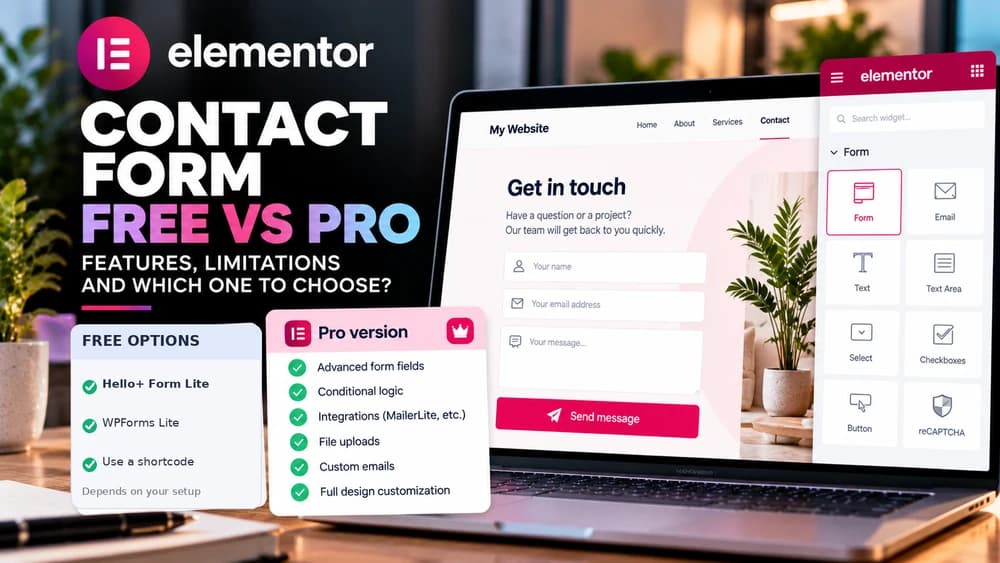
Disclosure: this article contains Elementor affiliate links. Claim26 may earn a commission from an eligible purchase at no extra cost to the reader. The cover is AI-generated editorial photography and does not show the official Elementor user interface.
Check these four signals.
✓Hello+ Form Lite availability confirmed in the real installation
✓A free plugin shortcode can render the contact form
✓Sample visitor submission reaches the owner inbox
✓Advanced integrations are checked against the selected Pro plan
The safest way to choose is to build a small real-world workflow.
Test the part of the customer journey that matters most before moving your entire system.
Official sources for this guide
Software pricing and features can change. Review the official documentation below before choosing a product or plan.