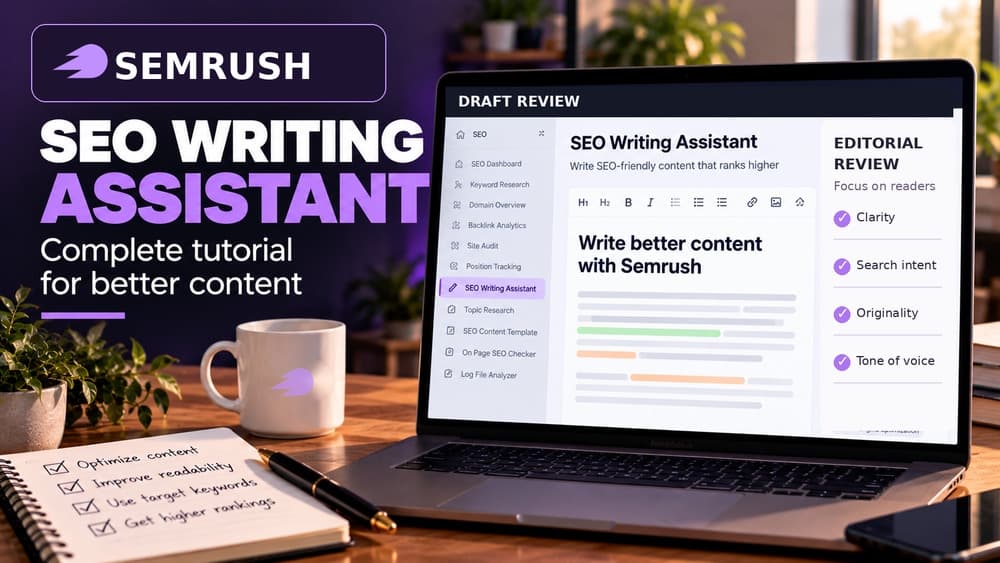
Semrush SEO Writing Assistant: Improve Drafts Without Chasing a Perfect Score
Review an existing article with SEO Writing Assistant, confirm subscription and AI credit limits, and accept only changes that improve accuracy and reader clarity.
Start with a good draft rather than a score target
Semrush SEO Writing Assistant helps editors review text that is already being written. It offers suggestions about readability, search relevance, originality and tone. Unlike Keyword Strategy Builder, its main value is not planning a site's pillar-page architecture: it works on the quality and usability of a particular draft.
Imagine a small outdoor retailer preparing a guide on waterproof jacket care. The author knows how to maintain the fabric but wants to make the copy clearer to first-time buyers. This fictional example will illustrate the review process; Claim26 did not run a paid Semrush document, perform an originality test or measure search rankings.
Understand the actual document and AI usage caps
Semrush currently documents a two-document lifetime allowance for both Free users and Pro SEO Toolkit accounts. Guru and Business can generate an unlimited number of SWA documents each month. Unlimited documents should not be confused with unrestricted AI writing or plagiarism tests, which have their own usage allowances.
According to the vendor's guide, Pro currently includes 500 Smart Writer Words as a lifetime allowance; Guru lists 1,000 per month and Business 2,000 per month. Features such as expanding a paragraph can consume credits at a different rate from rephrasing. Check current subscription information and any applicable billing before accepting an AI rewrite or upgrading.
Open the editor where the actual draft lives
SEO Writing Assistant is accessible directly in Semrush and through integrations such as Google Docs and WordPress. Choose the environment in which your editorial team keeps the approved draft. Working on an outdated document while a different copy is already scheduled for publication is an easy way to lose a useful correction.
For Google Docs, install the official add-on and use a document for which you have editing rights. For WordPress, review the plugin and account permissions before connecting it. Semrush also documents additional editor integrations, but their availability should be checked in the current product rather than assumed from older tutorials.
Set a target query that matches reader intent
Begin with a specific search term and the intended search market. For a jacket-care article, « how to wash a waterproof jacket » might be a relevant illustrative seed, but its search volume is not measured here. The tool's suggested terms can reveal related questions; they should not be added if the article cannot answer them accurately.
Check whether the final heading and subheadings reflect the instructions a real customer needs: washing symbols, suitable detergents, drying and reproofing. A keyword is not valuable simply because the analyzer wants it more often. Add a clear section for a missing reader question rather than sprinkling identical phrases across sentences.
Review readability without oversimplifying the facts
Readability feedback can flag difficult sentences, headline issues and length relative to competing content. These indicators help find barriers in the text, but a professional maintenance guide will legitimately use precise words that a general-purpose readability calculation considers difficult.
Rewrite long sentences that combine too many actions, define unfamiliar terms once, and make safety-related advice unambiguous. Then read the revised passage aloud or ask an appropriate subject specialist to review it. A lower numerical readability score is not necessarily a failure when the material has to be technically exact.
Treat originality checks as a warning, not legal clearance
The originality features compare passages with material found elsewhere, subject to the plan's plagiarism-check quota. A high overlap score might indicate copied marketing text or a common phrase from a technical standard. It cannot by itself establish that copying was lawful, that an article is authoritative or that a writer has permission to reuse illustrations.
Review flagged paragraphs in context, check sources, quote or attribute accurately and confirm the rights to any substantial borrowed text. Equally, a clean result does not prove that a product-performance claim is true. For an outdoor retailer, manufacturer washing instructions should still be verified against the product's own care label.
Use tone feedback in the language it supports
Semrush currently notes that SEO Writing Assistant works best in English and that tone-of-voice analysis is available only for English. Other languages, including French, have more limited support. This matters for international teams: a missing tone score in a localized article is not evidence that its wording is inferior.
For an English customer guide, choose a tone that suits the intended audience rather than mechanically making every passage informal. Reassuring, straightforward instructions may work well for beginners, while a warning about chemical treatment must remain precise. Check any suggested shift in tone against the company's actual editorial style.
Use AI rewrites sparingly and check every claim
Built-in rewriting features can simplify or rephrase a cumbersome passage. They can also remove an important restriction, change a product recommendation or overstate a result. Treat every rewrite as a draft: compare it with the original, verify claims, and keep only changes that genuinely improve comprehension.
Do not assume all AI features are included merely because the analysis panel opens. Smart Writer Words are a separate allowance and different operations may use credits at different rates. For a small team, manually fixing two misleading sentences may be more efficient than consuming credits to rewrite an entire article.
Check the live website after the editing score
Before publishing, look at the actual CMS title, page headings, internal links, image captions, alternative text and any comparison tables. Some of these elements may appear differently in the live article than in Google Docs or the Semrush editor. The SEO score does not validate rendering or functional calls to action.
Test the public page at phone and desktop widths. Make sure steps remain in a sensible order, links point to working destinations and essential images are correctly cropped. Search Console data can later help you learn which queries attracted impressions, but a Semrush score is not evidence of Google indexing, clicks or product sales.
Make the review process reusable without mass-producing pages
A straightforward editorial checklist is: write from reliable source material, verify factual and product claims, inspect relevant SWA feedback, accept or reject suggested changes deliberately, and perform a final proofread in the published layout. Maintain an edit log if several collaborators are involved, so important decisions survive subsequent revisions.
If your problem is finding promising topics, use Semrush keyword research or Keyword Strategy Builder instead. If a published page has technical SEO problems, Semrush Site Audit or On Page SEO Checker will serve a different purpose. A useful article that actually answers buyer questions matters more than generating many nearly identical pages or chasing a perfect software score.
Check these four signals.
✓Free and Pro two-document allowance
✓English tone feedback used appropriately
✓Originality checks interpreted cautiously
✓Published article visually verified
Need the bigger picture before choosing a plan?
Open the current offer and check Semrush pricing, limits and features before deciding on a subscription.
Official sources for this guide
Software pricing and features can change. Review the official documentation below before choosing a product or plan.