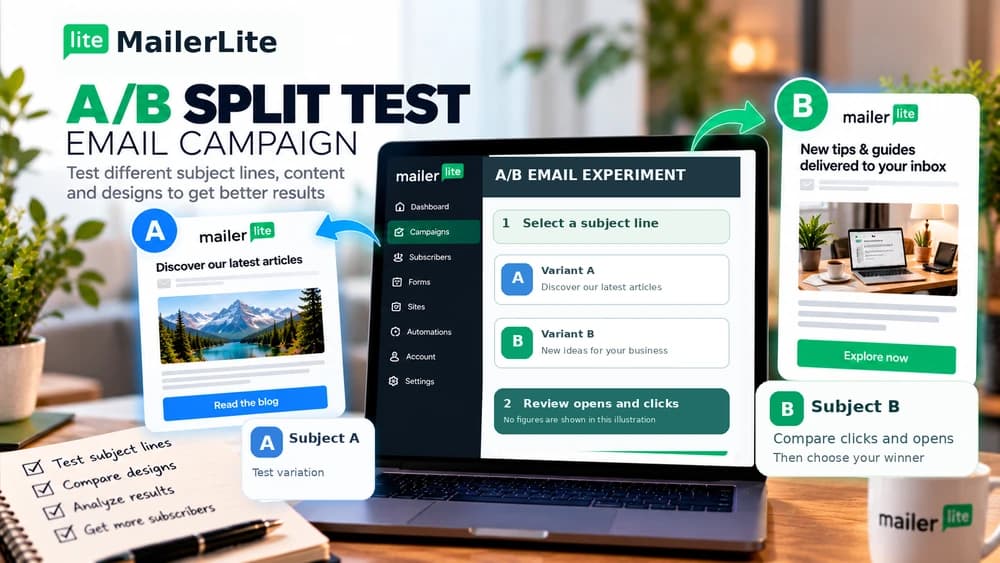
MailerLite A/B Split Testing: Subject Lines, Clicks and Winner
Test one clear difference between two email variants, choose an appropriate winner metric and interpret click and open tracking with their limitations.
What an A/B split campaign can actually show
MailerLite A/B campaigns compare two email variants with selected subsets of subscribers. You can test a subject line, a sender identity or content, and in the standard split mode send the better-performing version to the remaining recipients once the chosen testing window is over. That is a campaign-level comparison, not a scientific guarantee of a better result everywhere.
A higher open rate does not establish that one subject is universally more persuasive, and a higher click rate does not establish more sales. Audience composition, timing and the action after the email matter as well. A useful experiment therefore states a focused question and defines the outcome before generating any report.
Step 1 — State one clear hypothesis
A sensible question might be whether a specific, descriptive subject line draws more relevant readers than a curiosity-oriented headline. Keep the audience, body content, link destination and sender consistent when the subject is the variable. If you change several things at once, you cannot attribute the difference to any one of them.
Consider a fictional outdoor club sending a practical hiking checklist. One subject explains the resource, while the alternative points to a planning issue the resource resolves. Both are truthful descriptions of the same content. These are illustrative examples, not messages that Claim26 has sent or measured in MailerLite.
Step 2 — Create the correct campaign type
Open MailerLite Campaigns, click Create campaign and select A/B split campaign before designing your message. Use an internal campaign name that makes the subject and intended audience recognizable in later reports. MailerLite documents that campaign types cannot be changed after creation, so do not start with a regular campaign by mistake.
Depending on current features and plan, the interface can offer subject, sender or email-content comparisons, and MailerLite also documents sending-time tests. A standard A/B campaign should not be confused with multivariate campaigns or split steps inside automation workflows; they are separate tools with different limits.
Step 3 — Define an appropriate recipient group
In Recipients, select a relevant group or segment of people who subscribed to this type of communication. MailerLite's documented minimum of four subscribers is a technical threshold, not a sample size capable of producing a robust population-level conclusion. For a small newsletter, focus on directional observations and improvements in the message itself.
Keep unsubscribed or irrelevant contacts out of the experiment. Different audiences, such as new subscribers and long-standing customers, may respond differently even to identical copy. Record meaningful audience selection and exclusion rules so the next test is not accidentally compared against an entirely different population.
Step 4 — Make variants A and B genuinely comparable
For a subject-line test, write two accurate subject lines and then make the email content, preview text, call to action and target URL the same. Review both on mobile and test their actual links. A broken destination in version B could make its click rate look poor despite having a more appealing subject.
A content test answers a different question: it might compare the presentation of one call to action while retaining the offer and destination. Save the exact two versions and your hypothesis before sending. This prevents a post-hoc story in which every accidental design difference is treated as a deliberate optimization.
Step 5 — Set the sample and testing period
In the usual winner-selection mode, you allocate part of the list to versions A and B, then deliver the winning variant to recipients who have not yet received the campaign. Choose the test proportion and observation period deliberately; stopping too quickly can favor people who check messages as soon as they arrive.
MailerLite offers Run A/B test on the entire list as an alternative. It sends A and B to equal halves of the selected recipients and does not automatically select a mid-campaign winner for a remaining group. Choose this mode when your main goal is to learn about future campaigns rather than adjust the current distribution.
Step 6 — Choose clicks or opens while considering privacy
MailerLite lets the test winner be based on click rate or open rate. Opens can offer some insight into subject lines, whereas clicks may be closer to an intentional reader action when an email has a clearly defined resource. Neither metric is a verified customer conversion, so record how you intend to interpret it.
Apple Mail Privacy Protection can preload tracking pixels without a person actually reading a message, distorting open statistics. MailerLite says disabling open tracking prevents open-based A/B testing but allows click-based A/B campaigns. Check the account's tracking settings before treating an open-rate comparison as reliable.
Step 7 — Interpret the report at the decision time
After sending, open Campaigns, then View report and the A/B split tab. Compare real recipient counts and engagement for both variants, plus any unsubscribes or complaints that matter. A winner can be selected automatically when the time window ends, or selected manually while the test is still open. Manual choice is no longer possible after the automatic decision.
Engagement numbers may keep changing after the winner has been sent to remaining contacts. A later report can therefore show a different relative result from the one that drove the automated selection. Preserve the decision-time metric and audience size rather than treating a small gap as proof of an enduring universal preference.
Step 8 — Check downstream behavior before claiming success
Both versions should link to the correct working page and deliver what their subject promises. MailerLite offers click activity reporting and, for relevant integrations, ecommerce information. These reports are helpful for diagnosis, but they do not automatically prove that a particular headline caused additional revenue.
More clicks can still yield fewer qualified enquiries, while a clearer message can reach fewer but better-matched readers. Where tracking and consent permit, measure the real downstream goal separately. Be precise: say a variant received more recorded clicks during this test, not that it will increase sales across every audience.
FAQ — Plan limits, multivariate tests and future campaigns
Standard A/B email campaigns differ from multivariate experiments, which combine additional variables and are documented for eligible paid plans. Split-testing steps inside automated workflows are yet another feature with separate plan requirements. Confirm what your own MailerLite account includes before paying for a feature you might not need.
Can you stop an experiment? MailerLite documents pausing the test, which prevents the winner from being delivered to the remainder while stopped. For a welcome email sequence, read Claim26's separate automation guide; for sender-domain setup, its authentication guide is a better starting point. Comparing subscription plans belongs in the independent MailerLite review and Free-plan guides.
Check these four signals.
✓Meaningful test hypothesis
✓Consistent opted-in audience
✓Winner criterion and duration recorded
✓Clicks distinguished from conversions
Need the bigger picture before choosing a plan?
Open the current offer and check MailerLite pricing, limits and features before deciding on a subscription.
Official sources for this guide
Software pricing and features can change. Review the official documentation below before choosing a product or plan.