How to Create an AI Podcast with ElevenLabs GenFM from a PDF or URL (2026)
Open ElevenCreative Studio, then Audio → Workflows → Generate a podcast. Import a PDF or URL, choose Conversation or Bulletin, select voices and language, edit the proposed script, then check credits before Export. GenFM requires paid access, while Studio's specific terms restrict commercial use.
What GenFM actually creates from a PDF or webpage
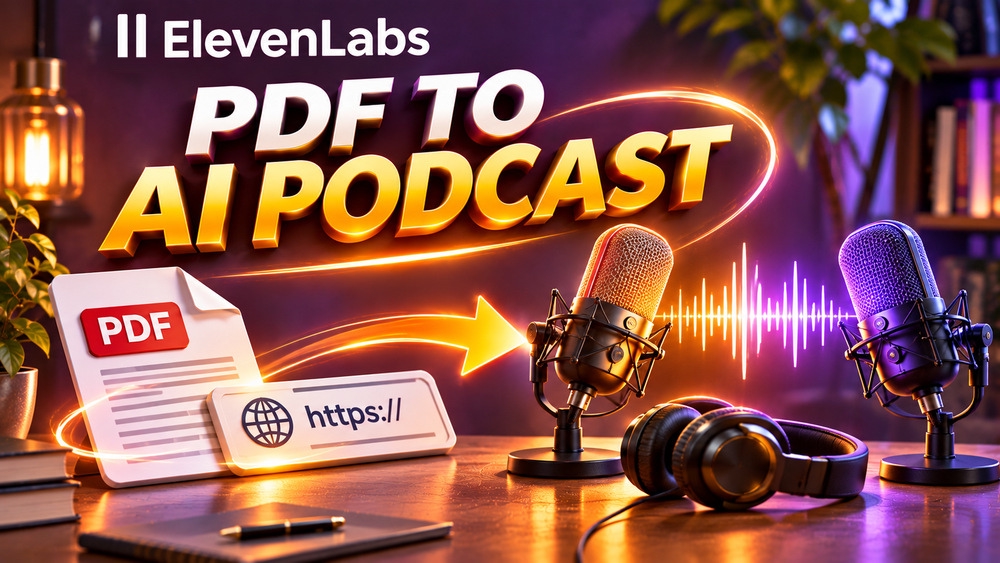
ElevenLabs GenFM takes source material and drafts a conversational or single-voice podcast script that can then be turned into synthetic speech. A PDF, a webpage URL, or a supported document supplies the subject matter. Unlike a straightforward read-aloud tool, GenFM reorganizes content into a listening-friendly explanation, so the resulting episode is not a faithful line-by-line recording of the source.
That difference makes GenFM useful for turning an authorized technical note, training handout or research summary into a spoken overview. It also creates an editorial obligation: generated speakers may simplify, omit context or misstate a claim. The workflow below separates documented product behavior from illustrative examples; Claim26 has not tested a paid GenFM account or measured podcast quality.
GenFM, Studio, Text to Speech and audiobooks are different tools
GenFM is a Create a podcast workflow inside ElevenCreative Studio. It begins with source content and creates an editable new script. A blank audio project works better when you have already written all the words. Text to Speech converts a prepared passage into narration, while an audiobook project aims to preserve a longer existing manuscript and its chapter structure.
Choose the tool according to the editorial goal rather than choosing the most automated button. To summarize a PDF as a host-and-guest discussion, GenFM fits. To record a precise customer training script that cannot be paraphrased, start with a script-controlled audio project instead. For long-form book narration, consult the separate ElevenLabs audiobook guide rather than expecting GenFM to preserve every line.
Can you use GenFM for free in 2026?
ElevenLabs says Studio is available on every subscription level, including Free, but specifically excludes the Create a podcast (GenFM) feature from that free access. GenFM requires a paid subscription. Seeing the Studio editor in a Free account is not proof that the automatic podcast workflow is included or that its speech export carries no credit cost.
Before paying, open the current pricing page and verify the exact feature entitlement, available credits and billing period shown to your account. Do not assume that a Starter or Creator purchase also includes commercial GenFM rights: Studio has separate legal terms, discussed later. If you only need to narrate an already completed script, a different Studio or Text to Speech workflow may fit without paying for GenFM.
Check your source and permission before importing it
Start with a document you wrote, a page you are authorized to reuse, or material with clearly suitable usage rights. A publicly accessible URL is not the same as a license to reproduce its content in a public podcast. A purchased ebook or internal company report can also carry contractual or confidentiality restrictions even when it opens successfully on your computer.
Prepare a short source note containing the title, author or publisher, date, main claim, and any limits the speaker must preserve. Remove unnecessary personal data, private customer records and confidential attachments before uploading. ElevenLabs' Studio terms require that you have the necessary rights and permissions for inputs, and they prohibit certain sensitive data unless a suitable written arrangement exists.
Step 1: open the podcast workflow in ElevenCreative Studio
Sign in to the correct ElevenLabs workspace and open Studio. The official GenFM help page describes the path Audio, then Workflows, then Generate a podcast. Older tutorials may show a different layout or reference the former Projects or Voiceover Studio interfaces, so use the current feature names instead of trying to match an outdated screenshot exactly.
If the Generate a podcast option is unavailable, check your subscription and workspace privileges before preparing more material. The feature needs paid access, and an interface update can move its location. Do not confuse an ordinary new audio project with the automated GenFM workflow: their starting points and resulting scripts are different.
Step 2: add a PDF, a webpage URL or another supported document
In Select source, choose the material the episode should be based on. ElevenLabs currently lists EPUB, PDF, TXT, HTML, DOCX, XML and FDX uploads, a URL, or an existing Studio project. A simple PDF of a few clearly structured pages is a good editorial test because its headings and definitions are easier to check against the eventual script.
Before generating, make sure the file opens, is readable and contains the actual argument rather than a scanned image that may not be extracted correctly. For a webpage, check that the URL leads to a stable public article rather than a login screen or cookie notice. Keep a copy of the source locally so you can verify quotations and facts after generation.
Step 3: choose Conversation or Bulletin based on the listener
Conversation creates an interaction between a host and another voice. It can make a comparison or question-and-answer explanation easier to follow, but the dialogue is synthetic. Do not present these speakers as real interviewees, witnesses or experts. Bulletin uses a single host and suits shorter, focused updates with fewer changes of speaker.
For a hypothetical five-page guide to website accessibility, Conversation could let one speaker ask what a screen reader does and the other summarize each point. Bulletin could instead present the three most useful checks in a tight sequence. These are examples of editorial planning, not audio samples created by Claim26 and not fixed presets that ElevenLabs guarantees.
Step 4: set duration, language and voice options
GenFM offers short, default and long duration choices. The actual length varies with the source, selected language, voices and format, so treat these as planning controls rather than a guaranteed number of minutes. A densely technical source may require a longer episode to explain terms without losing important qualifications.
The language can be detected from the source or chosen manually among supported languages. Select the voices suggested by ElevenLabs or choose others available to your account, and check whether the two hosts remain distinguishable. For a document in English with French quotations, preview how proper nouns and foreign terms are rendered instead of assuming automatic detection always handles them perfectly.
Step 5: give GenFM a useful focus rather than a vague demand
The Preferences area lets you specify focus topics; otherwise the model determines them. Write editorial instructions that tell the generated script what to prioritize: for example, 'explain the three practical checks, define two technical terms and preserve the source's uncertainty about results.' A focused brief is easier to audit than asking for a universally 'viral' podcast.
Avoid asking the system to invent a success story, a scientific result or an expert testimonial that the source does not contain. If the article has a date or a changing price, tell the script to state the date clearly. GenFM can draft a podcast script, but it cannot replace your responsibility for confirming a source's accuracy or permissions.
Step 6: generate the script, then edit it before audio
After selecting the options, use Generate to draft the podcast's text. ElevenLabs' GenFM guide explicitly describes a review-and-edit stage before audio conversion. Read the proposed lines against the original document. Flag every factual claim, number, name, quotation and unsupported causal statement. The script should be useful to a listener who never sees the PDF.
Rewrite ambiguous statements into plain, accurate sentences and remove made-up exchanges that sound like real interviews. Preserve caveats when the original author says 'may', 'in this sample' or 'not yet demonstrated'. Check that the ending actually summarizes the source instead of adding an unearned sales message. Save the reviewed version before spending credits on speech.
Step 7: verify credits and export an audio file
When the script is acceptable, use Export to create the audio. The current Studio documentation says a credit-cost notice appears when audio needs generating, and exports can include work that has not yet been converted. Look at the estimated cost and remaining balance before confirming; editing text or changing voices later may require a new generation.
Download and keep the exported audio alongside the reviewed script and original source. ElevenCreative Studio supports MP3 and WAV audio project exports, subject to the available options. If you change the project after an export, create a new export: downloading an older version does not automatically update its audio. Give each file a versioned name so the approved script can be matched to the correct recording.
Listen through the full episode before sharing
Play the result from beginning to end, not only the first 20 seconds. Check opening and closing words, abrupt pauses, duplicated lines, microphone-like artifacts, mispronounced names and moments where the two artificial voices sound confusingly similar. A polished synthetic voice does not make an inaccurate statement any more reliable.
Read the source again when the audio states a date, statistic or recommendation. For a technical document, compare definitions line by line and keep a correction log. When revisions are necessary, edit the text first and regenerate only the needed segments if the interface permits it. The aim is a checked listening experience, not the greatest number of regenerated takes.
Important: the 2026 Studio terms restrict commercial use
ElevenLabs' Studio Terms, updated 7 May 2026, state that Studio, including GenFM, is offered for personal, non-commercial use unless the customer is on an Enterprise plan. A separate negotiated agreement may alter the applicable terms. This restriction matters even if a paid self-service plan lets you access the feature and produce a downloadable audio file.
Do not assume that a generic 'commercial license' advertised for other ElevenLabs features automatically overrides these Studio-specific terms. If you intend to monetize a GenFM podcast, use it for advertising or deliver it to paying clients, review your actual contract and request written clarification from ElevenLabs where needed before publication. Rights to the source document and to any chosen voice remain separate requirements.
How to share an episode responsibly
For noncommercial personal sharing permitted by your agreement, identify the subject of the source, link back to the original where appropriate and state clearly that the speakers are AI-generated. Never label a fabricated host-and-guest script as an actual interview. Check the distribution platform's own rules, especially if you are considering a public feed or later monetization.
An MP3 file by itself does not create a podcast RSS feed, a Spotify listing or a YouTube channel. Publishing normally requires separate hosting or upload steps, episode artwork, a description and an editorial review. GenFM generates the audio portion of that process; other services and permissions may be necessary, and licensing should be checked before any commercial distribution.
If GenFM is not the right fit, choose a script-first alternative
Use GenFM when your main task is transforming authorized written content into a conversational first draft that you plan to edit. If you require precise wording, regulated terminology or a client-approved message, begin from a completed script in Studio or Text to Speech. Automatic summarization introduces an additional factual-review step that can outweigh the convenience for sensitive material.
For an audiobook, a multi-character performance or a short promotional voiceover, compare the specialized guides on Claim26 before buying a subscription. If you only need to listen privately to an article, the key decision may be whether you need a saved, editable podcast file at all. Choose according to your actual output and permitted use, not a generic promise of effortless production.
Final checklist before you start a GenFM project
Confirm that the source is usable, rights and privacy are clear, the selected workspace provides GenFM, and the current billing terms fit your budget. Choose Conversation or Bulletin, decide on the language and length, and give the tool two or three concrete editorial priorities. Treat the script as a first draft that must be checked against the source.
Before exporting, verify claims, names, disclosures and the displayed credit cost. After export, listen to the full recording, save the correct version and check the separate Studio commercial-use restrictions before distributing it. These steps help avoid paying for unusable audio or publishing confident-sounding errors. Claim26 may earn an affiliate commission through its clearly marked ElevenLabs link; the guide does not depend on clicking it.
Check these four signals.
✓Use a document or URL that you have permission to process
✓Distinguish GenFM from plain Studio narration or audiobooks
✓Check paid GenFM access and available credits before generating
✓Choose conversation, bulletin, language, duration and voices
✓Verify every material claim against the original source
✓Review the script before converting it to speech
✓Listen to the full MP3 or WAV after export
✓Check the Studio Terms before any commercial distribution
The safest way to choose is to build a small real-world workflow.
Test the part of the customer journey that matters most before moving your entire system.
Official sources for this guide
Software pricing and features can change. Review the official documentation below before choosing a product or plan.