How to Use the Systeme.io Public API in 2026
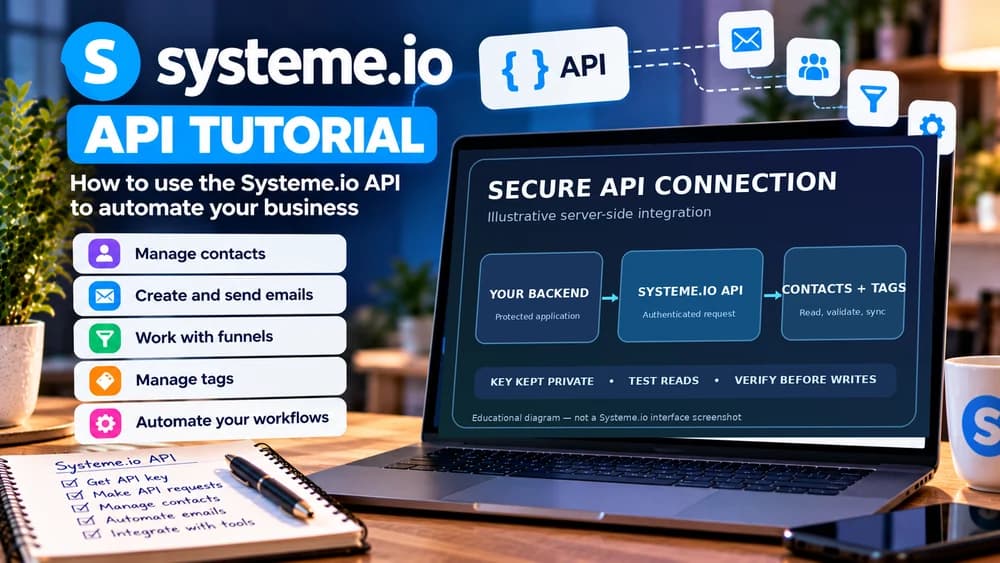
Create a dedicated public API key, keep requests server-side, start with a non-critical contacts or tags operation and add rate-limit, retry and duplicate handling before production use.
Use the public API when a visual connector no longer gives enough control
An API is useful when your own application, backend or script needs deterministic access to supported Systeme.io resources. It can make sense for custom integrations, repeated operations or workflows that are difficult to model cleanly in a visual automation tool.
For a simple event handoff, a webhook or ready-made connector may still be faster to maintain. Choose the API because the integration needs programmatic control, not because custom code automatically makes an automation more professional.
Create a key under Settings > MCP & API keys and protect it
Systeme.io currently creates public API keys from the account settings. The official help page documents a maximum of three API keys at a time, unique names for easier management and an optional expiration date.
The token should be copied when it is created and stored in a secret manager or protected environment variable. Do not paste the key into frontend JavaScript, public documentation, screenshots or a repository that other people can access.
Make API requests from a server-side environment and authenticate with the API key
Systeme.io's developer documentation explicitly warns against calling the API from public pages because doing so exposes the API key. Keep requests on a server-side environment where the credential is not delivered to the visitor's browser.
The current API reference uses the X-API-Key header for authentication. Centralize that authentication logic in one integration layer so a key rotation or revocation does not require editing credentials in multiple scripts and pages.
Start with contacts or tags before building a workflow around sensitive resources
The public API covers resources such as contacts, tags and custom fields, and current documentation also describes broader capabilities around email campaigns, funnels, page content, pricing plans and coupons. Verify the exact endpoint before assuming a dashboard feature is exposed.
Begin with a read request or a harmless test resource and inspect the response structure, pagination and error cases. Once the basic request is reliable, add create or update operations and keep destructive actions behind stricter validation.
Retrieve a small contact page and follow cursor pagination
From a protected server-side application, send an authenticated GET request to https://api.systeme.io/api/contacts with the X-API-Key header loaded from a secret environment variable. Start with limit=10 for a small set of contacts and verify the returned status before processing data. Never put the actual key in a public page, URL query string, source repository or log.
Systeme.io returns a contact list under items and a hasMore flag. If hasMore is true, take the last returned item ID and pass it as startingAfter for the next request; keep limit consistent and specify order=asc or order=desc if necessary. Stop when hasMore becomes false. This is the documented cursor-based pagination mechanism, not a claim that Claim26 has executed the request. Official API reference: https://developer.systeme.io/reference/api.
Handle rate limits, retries and duplicate operations before production traffic arrives
The official API reference states that request quota is shared across all API keys and tokens, not reset by switching keys. Track X-RateLimit-Remaining and X-RateLimit-Refill when available; for HTTP 429, respect Retry-After and back off instead of retrying in a loop or rotating keys.
Also make operations safe when the same event is delivered twice or a network request times out after the server already accepted it. Logging identifiers and checking existing resources can prevent a temporary connection issue from creating duplicate contacts, tags or objects.
Define one low-risk test before making your first request
Write down the precise business question, for example whether a known test contact already exists and which tags it has. Record the resource you want to read, which fields are essential, what a correct response should contain and what must happen if the contact is missing. That gives you a test you can actually verify rather than a vague instruction to connect two systems.
In Systeme.io, open Settings > MCP & API keys, scroll to Public API keys and create a uniquely named key. The official help center allows up to three public API keys per account. Copy the token as soon as it is created, set an appropriate expiration date and put it in server-side secret storage. If you lose it, revoke and replace it; do not log or email the secret. Source updated October 6, 2026: https://help.systeme.io/article/2323-how-to-use-systeme-io-public-api.
Synchronize contacts and tags without creating duplicates
A useful integration checks for an existing contact before attempting creation. Normalize the email address, identify the matching system-of-record ID and document what happens when the same signup event arrives twice. Decide which application is authoritative for each field before syncing profile changes in both directions.
For example, a visitor opts in through an approved form, your server looks up the contact, checks whether a particular tag is already assigned and applies that tag only when required. Then read the resulting contact again to verify the intended state. A duplicate event or network retry should not create a second contact or overwrite an unsubscribed status. Keep personal data out of application logs and respect marketing consent.
Keep newsletter drafts and actual sending as separate operations
Systeme.io's public API documentation covers contact management as well as newsletter and campaign resources, but the ability to draft or configure something does not mean it is safe to trigger a real send. When a workflow could affect real recipients, require an explicit approval step after verifying the sender, audience, segmentation, message contents and scheduling.
Begin with a permitted test audience and a harmless draft, then separately test the authorized send or scheduling process in a controlled environment when available. Do not use a live customer list to test guessed parameters. Where the specific operation is not documented, check https://developer.systeme.io/reference/api rather than inventing a route or request body.
Troubleshoot failed API calls without exposing the key
If a request fails, record the HTTP status and a minimal error category, but redact tokens and personal information. Check the exact documented endpoint, HTTP method, server-side X-API-Key header, key expiration and resource permissions before changing the integration. If the result is unexpected, compare it with the official API reference rather than guessing field names.
For a rate-limit response such as HTTP 429, respect the published retry guidance and any Retry-After value, and back off instead of immediately looping. For a timeout on a write, check whether the resource already exists before retrying. A request that timed out in your application may already have succeeded on the server, so repeated blind writes can create inconsistent records.
Use a controlled end-to-end checklist before enabling production writes
Run a small authorized scenario from start to finish: receive one sample signup, find the existing record or create one when allowed, apply one known tag, then read back the result. Test the same signup twice, a missing required field, an expired key, a transient connection failure and a contact that has not consented to marketing. These are proposed test cases, not tests performed by Claim26 on a Systeme.io account.
Only activate writes after the intended state, failure handling, audit trail and rollback or correction procedure are clear. Keep the key inventory limited to names, purposes and expiry dates; store credentials separately. If a credential is exposed, revoke it, update the dependent server-side integration and test one read operation before re-enabling updates.
Choose API, webhook or MCP according to who initiates the action
Use the API when your software needs to request or modify data directly, a webhook when Systeme.io should push an event to another service, and MCP when an approved AI assistant should call exposed tools through a conversational workflow.
These approaches can coexist in one architecture. Document which system owns each action, keep credentials separate and test a narrow production-like case before increasing scope or allowing an automated process to modify important customer data.
Check these four signals.
✓The API key is stored only in a protected server-side environment
✓The first request works on a non-critical resource
✓Rate limits and retry behavior are handled explicitly
✓The integration can rotate or revoke its key without a full rewrite
Need the bigger picture before choosing a plan?
Open the current offer and check Systeme.io pricing, limits and features before deciding on a subscription.
Official sources for this guide
Software pricing and features can change. Review the official documentation below before choosing a product or plan.