How to Connect a Custom Domain to Systeme.io in 2026
Choose root domain versus subdomain first, make sure an existing site will not be displaced unintentionally, add the exact records generated by Systeme.io and verify DNS, HTTPS and live routes after propagation.
Choose the root domain or a subdomain before changing any DNS records
Decide first whether Systeme.io should receive the main web address, such as www.example.com, or only a subdomain such as offers.example.com. The choice determines which DNS records are changed and whether an existing website remains at the root domain.
A subdomain is often safer when the main domain already hosts another website. It lets you publish Systeme.io funnels or other pages without intentionally moving the entire root web presence to a different platform.
Do not connect a root domain that must keep serving an external website
Systeme.io's official root-domain guide warns that a domain can only be used for one website and that an existing external site will no longer remain available through that root once the domain is assigned to Systeme.io.
Inventory the current website, email DNS records and other services before editing anything. Web records can be changed without deleting mail records, but an unplanned DNS change can still make the public website resolve to the wrong service.
Add the domain in Systeme.io and copy the records generated for that exact domain
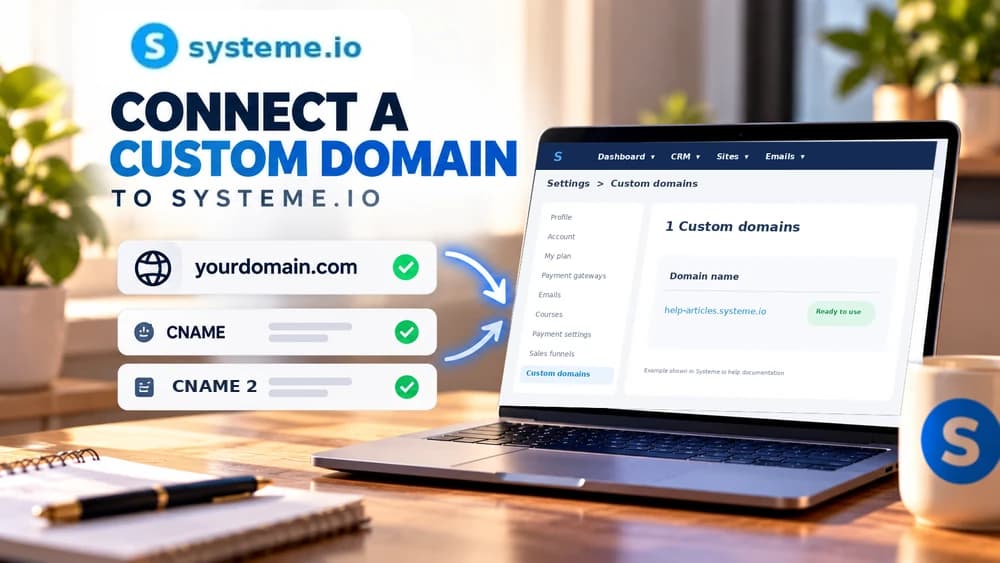
Open Settings and Custom Domain, choose Add domain and enter the address in the format required by the relevant Systeme.io guide. For a root-domain connection, the current instructions specify entering the domain beginning with www.
After saving, use the DNS names and values generated for your account rather than copying records from a tutorial screenshot. Those values are tied to the domain configuration and should be transferred exactly to the DNS provider that controls the zone.
Create the CNAME records at the DNS host and respect provider-specific behavior
For subdomains, Systeme.io currently generates two CNAME records to add at the DNS host. Root-domain setups also require following the records and instructions shown for the provider and configuration in use.
If the domain uses a provider such as Cloudflare, review Systeme.io's provider-specific guidance before enabling proxies or other DNS features. The goal is to let the validation and HTTPS process see the records in the form expected by the platform.
Allow for DNS propagation and verify the custom-domain status before launch
DNS changes are not always visible everywhere immediately. After adding the records, return to the Systeme.io custom-domain area and wait for the platform to recognize the configuration instead of repeatedly replacing correct values because validation is not instant.
Once the domain is accepted, open both the expected HTTPS URL and representative pages in a private browser session. Check for certificate warnings, redirect loops and any unexpected jump to an old or unrelated destination.
Test every public route after the domain is connected
Open the website home page, important funnels, forms and checkout routes that use the custom domain. Confirm that internal links point to the intended host and that no old hard-coded domain continues sending visitors to a retired address.
If the root domain was migrated from another platform, check the old high-value URLs separately and plan redirects when necessary. Connecting DNS makes the host reachable, but it does not automatically preserve the previous site's URL architecture or search history.
Check these four signals.
✓Root domain versus subdomain is chosen intentionally
✓Existing website and mail services are inventoried before DNS changes
✓Generated DNS records are copied exactly at the DNS host
✓HTTPS and representative live routes are tested after validation
Need the bigger picture before choosing a plan?
Open the current offer and check Systeme.io pricing, limits and features before deciding on a subscription.
Official sources for this guide
Software pricing and features can change. Review the official documentation below before choosing a product or plan.