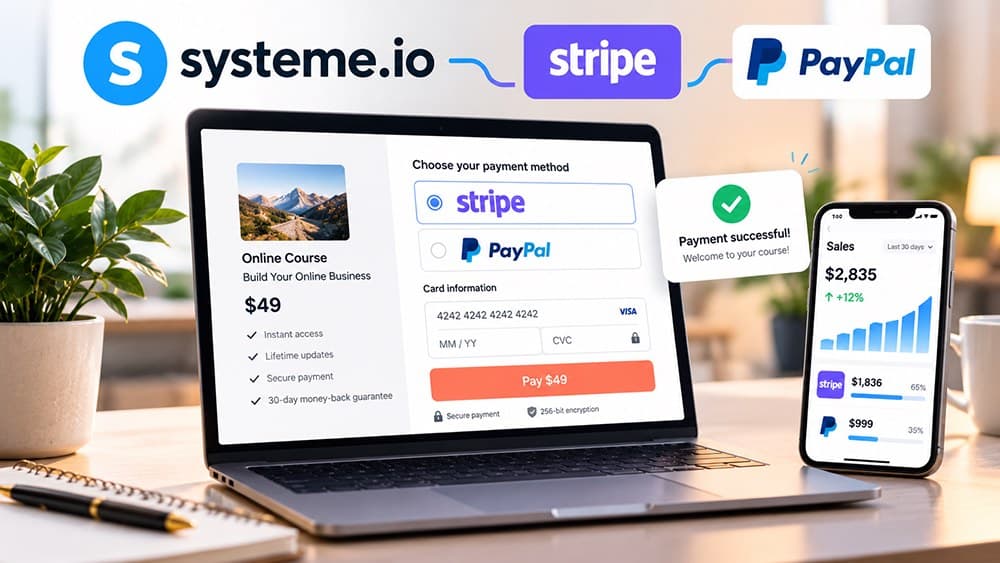
How to Connect Stripe or PayPal to Systeme.io in 2026
Connect the gateway in Systeme.io settings, enable the intended payment methods for the funnel, include each processor's required checkout fields and test the complete payment and delivery path before launch.
Choose the payment processor from your market and payment needs rather than brand familiarity
Stripe and PayPal can both be connected to Systeme.io, but they do not behave identically across currencies, local payment methods, subscriptions and account requirements. Check which option supports the customers and billing model you actually expect to use.
You can also offer more than one supported method when that improves checkout completion. Keep the page simple, however, because displaying every possible method is not automatically better than offering the two or three options your audience recognizes.
Connect Stripe from the payment-gateway settings and complete the authorization flow
In Systeme.io, open Settings and Payment gateways, choose Stripe and complete the redirected Stripe authorization process. Stripe may require business and identity information before the account can process live payments.
Systeme.io's current Stripe guide also notes that the Email and First Name fields are required on payment pages for the integration to work correctly. Verify those fields on every live checkout that uses Stripe rather than assuming one working funnel proves all order forms are configured the same way.
Connect a PayPal Business account and configure the checkout fields PayPal requires
Systeme.io's current PayPal integration requires a PayPal Business account. The connection flow authorizes Systeme.io from PayPal, after which the account can be used as a payment gateway for supported transactions.
For PayPal checkouts, Systeme.io currently requires email, first name and last name fields on the order form. The help documentation also describes PayPal IPN configuration for payment-status notifications, which is especially important for recurring-payment handling.
Enable the intended payment methods at the funnel level before testing the order form
After the gateway accounts are connected, make sure the funnel itself has the relevant payment options enabled. Systeme.io documents activation for card payments and PayPal in the funnel settings rather than assuming every connected gateway appears automatically on every sales journey.
Open the published order form as a customer after saving those settings. The visible methods should match the currency, gateway configuration and offer type you intend to launch.
Separate Systeme.io platform fees from the fees charged by the payment processor
Systeme.io's current pricing page lists 0% platform transaction fees on its main plans. That does not remove the processing fees, currency conversion, dispute costs or other charges that Stripe or PayPal may apply under their own terms.
Calculate payment costs from the processor account that applies to your country and customer mix instead of copying a generic percentage from another market. The software subscription and payment-processing costs are separate parts of the economics of each sale.
Run real controlled payments for one-time, recurring and post-purchase paths you plan to use
Systeme.io's Stripe checkout does not provide a free test-mode purchase through the funnel. A real small purchase may be required, and card-processing charges can still apply; confirm the payment and refund only when appropriate.
If the funnel contains an order bump, upsell or downsell, test those additional transactions as well. A checkout is not production-ready merely because the main card charge succeeds once; the complete customer journey must stay coherent after every payment branch.
Enable local payment methods only for eligible customers and currencies
Stripe can support iDEAL for eligible Netherlands buyers and Bancontact for eligible Belgium buyers, subject to the actual account and funnel configuration. Systeme.io describes enabling the methods in Stripe, configuring SEPA Direct Debit as required, and ticking the payment options inside Funnel settings. Both are documented for EUR: https://help.systeme.io/article/1336-how-to-offer-ideal-and-bancontact-payments-in-systemeio.
Apple Pay runs through Stripe, but systeme.io's setup guide specifies a validated custom domain and relevant device, browser and country restrictions. Connecting Stripe is not by itself proof that Apple Pay will appear for every visitor. Check the actual checkout and the official steps: https://help.systeme.io/article/3813-how-to-integrate-apple-pay-on-systemeio-via-stripe.
Understand why a Stripe checkout trial can require a real paid purchase
Systeme.io's official testing guide says that its Stripe checkout cannot be tested through a free Stripe test-mode purchase. To check the complete live sales journey, it describes making a small real purchase with a payment method you control, checking Sales > Transactions and issuing a refund if appropriate: https://help.systeme.io/article/151-how-to-make-a-test-purchase.
Such a purchase can incur processor fees, and a refund may not reverse all costs. Do it only if you accept that possibility. Check the price, currency, taxes, confirmation email, access delivery, automations and any order bump or upsell. Claim26 has not performed a transaction on the reader's behalf or verified a merchant-specific payment setup.
Troubleshoot PayPal transactions missing in Systeme.io without double-charging
If a payment exists in PayPal but not in systeme.io's Sales > Transactions list, check its status and the Instant Payment Notification (IPN) configuration. Systeme.io warns that confirmation can sometimes take up to 72 hours, and a missed notification may prevent the system from showing the transaction and corresponding invoice: https://help.systeme.io/article/314-why-my-paypal-payments-do-not-appear.
Payment plans and subscriptions rely particularly on the PayPal notification flow. Use the provider's documented notification-resend procedure for the affected payment where appropriate, and keep the original transaction reference. Do not ask the buyer to pay again before investigating the first payment.
Check these four signals.
✓The selected processor supports the intended customer and billing model
✓Required checkout identity fields are present
✓Payment methods are enabled on the intended funnel
✓One-time and recurring paths used by the offer are tested end to end
Need the bigger picture before choosing a plan?
Open the current offer and check Systeme.io pricing, limits and features before deciding on a subscription.
Official sources for this guide
Software pricing and features can change. Review the official documentation below before choosing a product or plan.