ElevenLabs Dubbing v2 vs v1: Which Version Should You Use in 2026?
Dubbing v2 is the default for new automatic translated videos; keep the maintenance-mode Dubbing Studio v1 for a legacy project needing its particular timeline or exports.
The differences that actually change the decision.
ElevenLabs Dubbing v2 vs v1: the short answer
Choose Dubbing v2 for a new multilingual podcast or video when you want the current automatic workflow and the ability to correct translated segments in ElevenLabs' web editor. Choose Dubbing Studio v1 mainly when an existing production depends on manual timing, individual speaker controls or specialized exports. ElevenLabs says the older Dubbing Studio is in maintenance mode, with critical bug fixes but no planned new features.
This page answers the version-choice question rather than repeating our broader AI video dubbing tutorial. The steps and feature descriptions come from ElevenLabs' official documentation, reviewed on November 3, 2026. Claim26 has not conducted a paid audio-quality benchmark, accessed a user's ElevenLabs workspace or measured how well these models translate a real client video.
Compare the practical differences before choosing a project type
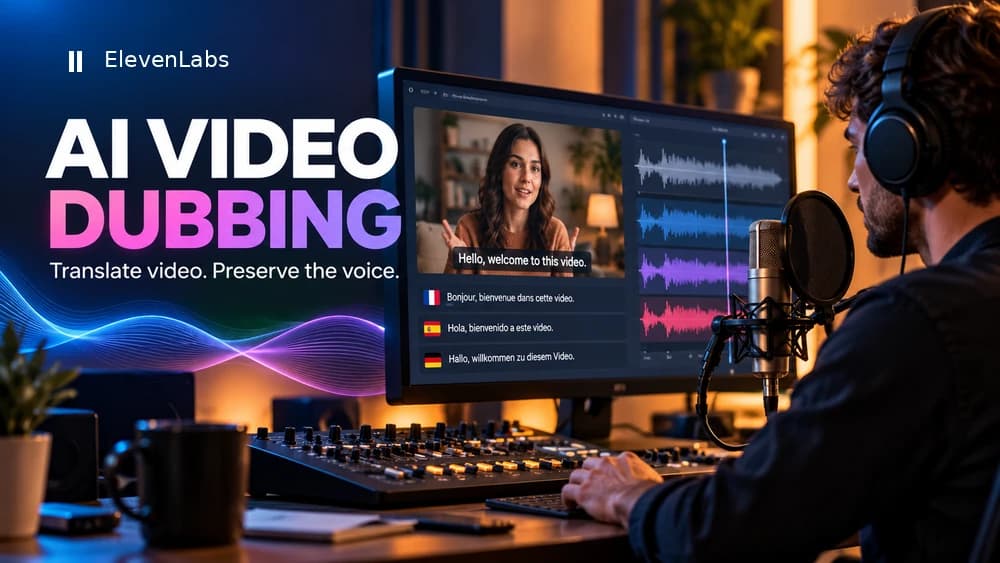
The default Dubbing v2 workflow automatically translates source dialogue while trying to preserve the speaker's tone, emotion and recognizable voice. The website's v2 editor lets you correct the transcript or translation and regenerate selected segments. Legacy Dubbing Studio v1 uses speaker cards, track and clip controls and a timeline that may fit established professional post-production routines.
Your decision should follow the actual deliverables. If you need a translated audio track for a straightforward video, begin with v2. If the client demands a particular manual CSV workflow, individual track settings, an AAF timeline or an SRT file generated within legacy Studio, verify that these features are still available to your account before selecting v1. Do not assume every menu or export exists in both versions.
Prepare one rights-cleared source before spending credits
Start with an audio or video file you own or have permission to translate and distribute. Listen for more than a few seconds: identify the spoken language, number of people, overlapping dialogue, noisy passages and music. Save the original video master and a clean source audio export. A clear two-minute interview excerpt is usually a more informative test than a complex full-length recording with multiple microphones and effects.
ElevenLabs documents common audio and video input formats and some supported video URLs. Its different documentation pages currently cite different file-size allowances depending on workflow and API, so check the live limit on the exact Dubbing screen you are using instead of relying on a universal number from an old tutorial. Keep the same source sample when evaluating alternative models or speaker-similarity settings.
Create your Dubbing v2 project and choose languages
Open Dubbing, upload your permitted file or provide a supported source URL, and select the target language. ElevenLabs states that dubbing supports more than 90 languages, including English, Spanish and French. Availability does not guarantee a culturally correct translation of legal language, local expressions, product jargon or names. Plan for a fluent speaker to review the languages that matter commercially.
Before generating, inspect the credit or pricing estimate for every target language. ElevenLabs states that each selected language can be charged separately. For example, if a tutorial needs Spanish and French versions, evaluate the first target-language sample and its actual output before submitting a large batch. This is a suggested quality-control process, not a claim that Claim26 tested a particular cost per minute.
Choose a realistic speaker similarity rather than a maximum value
On the current Dubbing v2 Alpha workflow, ElevenLabs describes a Speaker similarity control connected to cloning strength on a scale from 0 to 10, with 7 suggested as a useful starting point. Increasing similarity can keep more of the original timbre, but it may also preserve too much accent or make pronunciation less natural when moving between languages with very different sounds.
Try the same twenty-second source with the same target language and compare one setting at a time. Listen for recognizable voice character, clear words, natural rhythm and the correct meaning. A high setting is not proof of faithful translation, and a lower setting is not inherently bad. The right compromise depends on the source, the speaker, the target language and the final audience.
Correct translations and regenerate the affected segments
After the first generation, watch the entire output before correcting individual words. Then identify speaker changes, dates, prices, acronyms, brand names, untranslated expressions and sentences that run beyond the available screen time. ElevenLabs documents transcript and translation editing in the Dubbing v2 web interface, followed by regeneration of individual segments instead of the whole project.
Keep a short correction log with the source timestamp, original phrase, intended meaning, changed translation and the result of the new render. Check names and figures against the original recording, not just what the model transcribed. ElevenLabs separately restricts editing and regenerating dubs through the API on some plans, including an Enterprise requirement for the documented Dubbing v2 API path; website editing should not be confused with general API entitlement.
When the legacy Dubbing Studio v1 still makes sense
The older editor can be valuable if your established workflow relies on speaker cards, track-level changes, clip-by-clip voice selection or a manually prepared dub. ElevenLabs describes a manual mode for users who supply a video, foreground and background audio, plus a precisely structured CSV with speaker, timestamps, transcription and translation. Studio v1 also documents reusable voice options and individual track or clip settings.
Those controls may matter for a production company handing footage to another editor. They do not make v1 the safer default for a new creator: the product is in maintenance mode and cannot be expected to gain new features. ElevenLabs also warns that an already-created automatic dub cannot simply be converted into a legacy Dubbing Studio project, so decide which workflow you need before processing a long file.
Export audio, subtitles and your final video carefully
Do not confuse a generated dubbed-video preview with a delivery master. ElevenLabs says preview video may have different resolution from the original, and its documentation recommends replacing the audio track on the original video in an external editor when high production quality matters. Listen again after replacing the track: dialogue timing, music balance and unwanted silence can change during final mixing.
Audio-channel limits also matter. ElevenLabs documents mono output in the legacy v1 flow and at most stereo with v2, so a source 5.1 soundtrack cannot be assumed to survive unchanged. The older Dubbing Studio documents MP3, WAV, AAC, separate audio tracks, SRT, CSV and AAF exports; check actual availability within your selected version. ElevenLabs also says Dubbing itself is not a lip-sync tool, so do not sell mouth movement as an included automatic feature.
Budget for credits, review and commercial permissions
Rather than quoting an unstable price per video minute, open ElevenLabs' live pricing page and compare the estimate for your source duration, target languages, current plan and possible regenerations. Multiple languages and corrections may change the total cost. Also budget for reviewing translations, adding subtitles and remastering the picture. A cheap automatic generation that needs extensive repairs may not be the cheapest finished deliverable.
Use audio, footage and voices you are legally entitled to process. Payment to a dubbing service does not create rights to someone else's movie, soundtrack or recognizable voice, and publishing in another language does not remove those obligations. Check the provider's current commercial-use terms for your chosen account. Claim26 may earn a commission through the clearly disclosed ElevenLabs affiliate link without increasing your purchase price.
A repeatable checklist before publishing a translated video
Ask a fluent reviewer to inspect the first full version and review representative segments from every additional language. Check the video together with the audio, because a translated sentence can be understandable yet too long for the scene. Verify speaker attribution and the point where one person stops and another begins. Compare technical terms and prices against the source or an approved glossary.
Record the date, model version, languages, clip duration, reviewer, corrected segments and final export used for the published version. This makes it possible to diagnose a problem later instead of repeating an unrecorded experiment. For legal, medical, safety-critical or other high-stakes content, automated dubbing alone is not a substitute for qualified specialist review.
Frequently asked questions about ElevenLabs dubbing
Is Dubbing Studio v1 still accessible? ElevenLabs states that existing users keep access, with only critical fixes continuing. Can I edit Dubbing v2 output? The documented web workflow includes correcting transcripts and regenerating segments; API availability is subject to separate plan requirements. Should I use v1 just to get better voices? This article does not establish a universal audio-quality advantage for either model.
Does Dubbing v2 automatically match the actor's lips? No: ElevenLabs says lip sync is not part of Dubbing itself. Will the output preserve an original 5.1 surround mix? No, the provider documents stereo at most for v2. If you require specialist exports or a manual timeline, verify the model's current options in your workspace before starting the project. For the basic translation procedure, see our separate AI video dubbing guide.
Final recommendation for new projects
Start a new project with Dubbing v2 and one short, authorized sample. Choose a target language, test a reasonable speaker-similarity setting, correct the transcript, listen with a fluent reviewer and export audio for the original video master. Only expand to a larger multilingual production when the first review confirms that the workflow meets your needs.
Keep Dubbing Studio v1 for cases where its specific manual project, track or export requirements are already documented. The current product direction matters when you build a reusable publishing process, but neither version replaces human review of the final language, sound and distribution rights. Check ElevenLabs' current plans and your exact export needs before subscribing.
Check these four signals.
✓Dubbing v2: the current automatic workflow with web-based corrections
✓Dubbing Studio v1: specialized track, clip, manual and export controls
✓v1 Studio is in maintenance mode with no new features planned
✓V2 preview audio still needs quality control and final video mastering
The safest way to choose is to build a small real-world workflow.
Test the part of the customer journey that matters most before moving your entire system.
Official sources for this guide
Software pricing and features can change. Review the official documentation below before choosing a product or plan.